

Picking a CMS feels like a quick decision until the first upgrade bill lands. This Drupal vs WordPress guide puts both platforms side by side on the questions that cost you money later: who can edit the site, who can fix it, how fast it loads and when support ends. We checked every date and figure on the official sites in September 2026.
Last updated 14 September 2026. Versions, support dates and usage figures checked on drupal.org, wordpress.org and W3Techs.
Quick answer
Choose WordPress if you want a site your own team can edit, a large pool of developers to hire, and a store with no revenue share on sales.
Choose Drupal if you run a large site with complex content, strict permission rules and an in-house developer team to keep it upgraded.
Still deciding Drupal or WordPress? Book a free call with a team that builds only on WordPress.
Drupal vs WordPress: the numbers that decide it
40.3%
WordPress: share of all websites, against 0.6% for Drupal
9 Dec 2026
Drupal 10: end of life, with no new releases after it
29.4%
Drupal sites still on Drupal 7, which lost official support on 5 January 2025
0%
WooCommerce on WordPress: revenue share on your store sales
Drupal vs WordPress: the basic difference
Two free CMS platforms, built for different teams
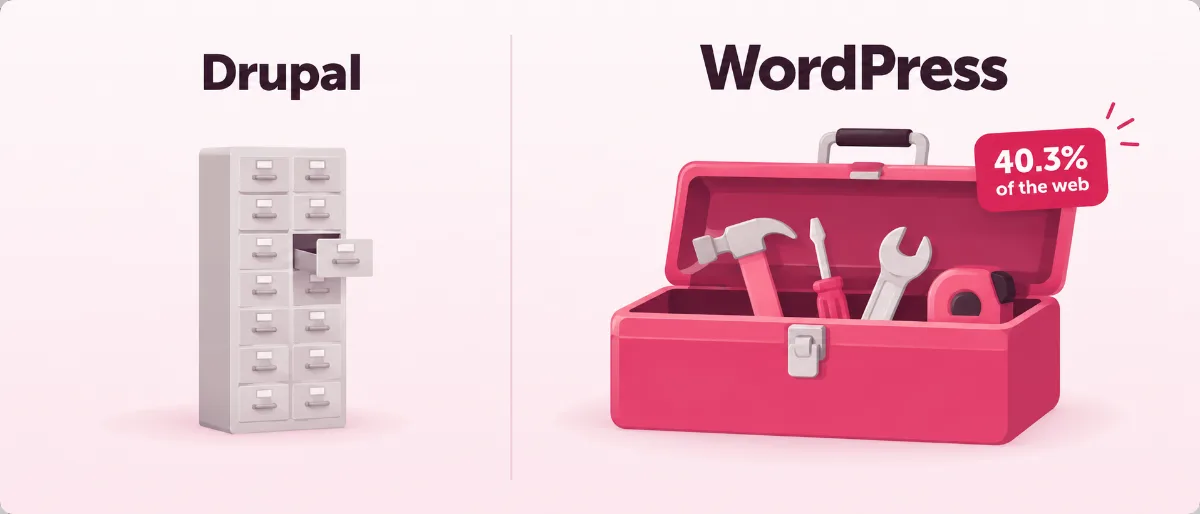
WordPress is free, open-source software for building and running websites, and it runs 40.3% of all websites. You install it on hosting you choose, and your team edits pages in a visual editor.
Drupal is also free, open-source software, released under the same GPL licence. Developers shape it into custom content systems with content types, fields, views and detailed user permissions. Teams pick it for large, content-heavy sites where developers run the platform day to day.
Both run on PHP and a database, and both cost nothing to download. The real WordPress vs Drupal gap sits in who does the daily work: on WordPress, your marketing team can; on Drupal, you tend to need a developer close by.
Ease of use: WordPress vs Drupal
Which one can your team run without calling a developer?
You want to change a headline on Tuesday without opening a support ticket. WordPress was made for that. Drupal gives developers more building blocks, and your editors work inside whatever the developers set up. We build only on WordPress, so weigh Drupal or WordPress knowing that.
Drupal
- Detailed roles and permissions come built in.
- Four multilingual modules ship with Drupal core.
- Installing and updating a site leans on developer tools such as Composer and DDEV.
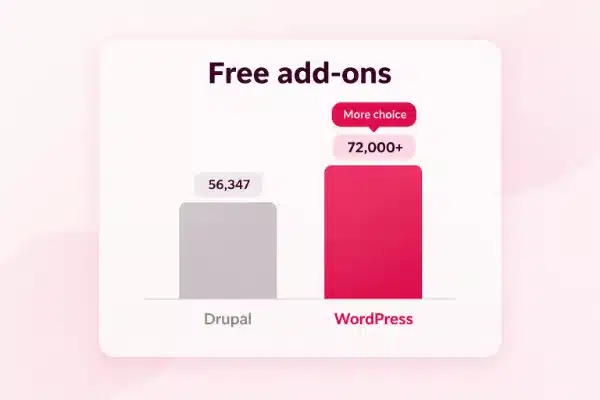
- Fewer ready-made add-ons: 56,347 modules listed, across every Drupal version.
- Major versions end on a fixed date, so upgrades arrive whether you planned for them or not.
WordPress
- Editors change pages in a visual editor, or drag blocks with a page builder such as Elementor.
- Over 72,000 free plugins in the official directory.
- Five ready-made roles, from Administrator to Subscriber.
- Custom post types and fields handle structured content.
- Minor security fixes arrive through automatic updates.
- Each plugin you add is one more thing someone has to vet and update.
If ease decides your WordPress vs Drupal choice, plan the upkeep before launch day. Our WordPress website maintenance checklist lists the monthly jobs, so you can see the work before you commit to it.
Content structure in Drupal vs WordPress
Complex content: where Drupal earns its place
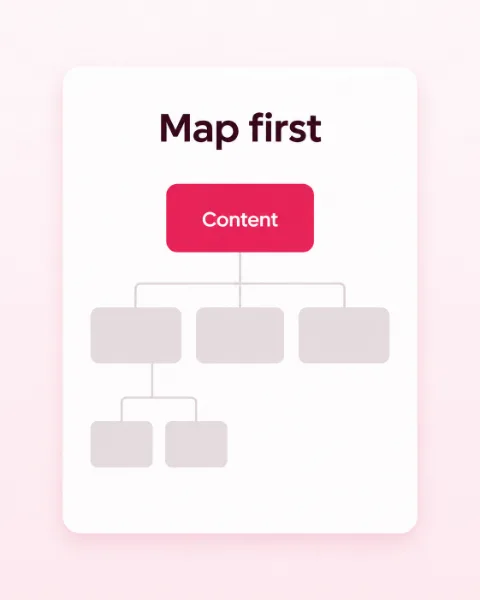
Some sites hold thousands of linked records: courses tied to teachers, events tied to venues, documents that only some staff may open. Drupal handles that in its core, with content types, fields, taxonomy and Views to list the results any way you need.
WordPress starts with posts and pages, then grows through custom post types, custom fields and plugins. For most business sites, a few custom types cover services, team members, case studies and locations, and your editors still get the simple screen they know.
Before you settle Drupal vs WordPress on structure alone, list the content types your site needs today. Under ten types, with a few simple links between them, sits well inside what WordPress handles every day.
Drupal or WordPress: the cost of building and running it
What you pay after the free download
Both licences cost nothing, so the money goes to people and upgrades. The bigger the talent pool, the more choice you have on price, and WordPress runs on 58.8% of the sites whose CMS is known.
Drupal vs WordPress running costs, checked 14 September 2026
Cost line
Drupal
WordPress
Software
$0, GPL licence
$0, GPL licence
Who builds it
A Drupal developer team, in most cases
A freelancer, an agency or your own staff
Talent pool
0.6% of all websites
40.3% of all websites
Add-ons
56,347 modules listed
Over 72,000 free plugins
Major upgrades
Drupal 10 ends 9 December 2026; Drupal 12 due the same week
Only the latest 7.1 release is supported; updates install in place
Online store
Drupal Commerce, free, built for developers
WooCommerce, free, 0% revenue share
In a Drupal vs WordPress cost check, a Drupal site costs the most when a major version ends and the upgrade becomes a project of its own.
On WordPress, you pay for hosting, a domain and the help you choose. Our Business website plan starts at $587, one-off, with a blog and the first year of hosting included.
Want a WordPress site your team can run?
Still weighing Drupal or WordPress? Talk it through with a team that builds only on WordPress.
Page load in practice
Drupal vs WordPress performance: what makes a site load fast
A slow page loses visitors before they read a word. In any Drupal vs WordPress performance test, the platform matters less than the hosting, the caching, the images and the weight of the theme.
Drupal ships with page caching switched on for visitors who are not logged in. A test by Tag1 Consulting, a Drupal firm, gave fresh installs of both platforms a top Lighthouse performance score, and found Drupal lighter on the server.
WordPress closes that gap with good hosting and a caching layer, and its own Performance Team tests new features in the Performance Lab plugin before they join core. So the Drupal vs WordPress performance question comes down to setup: a well-built WordPress site on solid hosting can load as fast as a Drupal one.
Our guide to a faster WordPress site covers the fixes you can make yourself.
Pro tip
Before you trust any Drupal vs WordPress performance claim, test a real page from each site on PageSpeed Insights, with the images and plugins it will carry on launch day. An empty install tells you very little.
Security: WordPress vs Drupal
Who keeps the site safe after launch?
A hacked site costs you trust you spent years building. In Drupal vs WordPress security, both platforms have security teams, and the risk sits in sites nobody updates.
Drupal
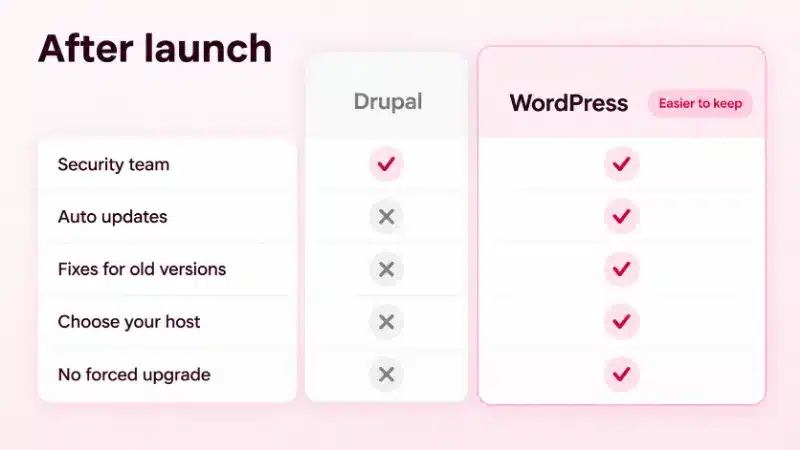
- A dedicated security team publishes advisories and helps module maintainers fix issues.
- Detailed permissions limit what each user can reach.
- 29.4% of Drupal sites still run Drupal 7, which gets no official security updates.
- Every major version has a fixed end date that forces an upgrade.
- A smaller community means fewer people ready to help when a fix is urgent.
WordPress
- A security team of 50+ experts ships fixes in bugfix releases.
- Fixes reach older versions too, through automatic updates.
- You choose the host, the firewall and the backups.
- A care plan can hand the updates to a team you pick.
- Plugins and themes still need someone to update them.
Our WordPress security best practices guide covers what you can do yourself. To hand off updates and backups, our WordPress care plans start at $49 a month.
Drupal suits the site a developer team runs. WordPress suits the site your whole business runs.
SEO tools on both platforms
Getting found on Google with WordPress vs Drupal

You want customers to find you without paying for every click. Drupal can rank well: Drupal CMS, the ready-made edition for marketing teams, ships with SEO tools, and a developer can add more.
WordPress hands that control to the people who write the pages. An SEO plugin such as Rank Math lets an editor set titles, descriptions, redirects and schema, which is extra code that tells search engines what a page is about.
In the WordPress vs Drupal SEO match-up, the winner is the site your team updates most often. Our WordPress SEO team can set it up with you.
Drupal vs WordPress for ecommerce
Selling online without a developer on every order change
Drupal Commerce is free, open source and works with Drupal 10 and 11. Its makers describe it as lean, with strict development standards, so it suits stores with unusual rules and a developer team to build them.
For most shops in a Drupal vs WordPress for ecommerce check, WordPress wins through WooCommerce, a free plugin with 0% revenue share. Your team adds products, prices and coupons from the same dashboard it uses for pages. See how we build WooCommerce stores.
WordPress vs Drupal side by side
Drupal vs WordPress: every difference in one table
Drupal vs WordPress at a glance, checked 14 September 2026
Drupal
WordPress
Licence
Free, GPL
Free, GPL
Share of all websites
0.6%
40.3%
Current version
Drupal 11; Drupal 12 due week of 7 December 2026
WordPress 7.1, released 19 August 2026
Editing
Set up by developers, then used by editors
Visual editor and page builders such as Elementor
Add-ons
56,347 modules listed
Over 72,000 free plugins
Complex content
Content types, fields and Views in core
Custom post types, fields and plugins
Multilingual
Four modules in core
Through a plugin
Page caching
On by default for anonymous visitors
Through hosting or a caching plugin
Security fixes
Security team advisories; Drupal 7 unsupported since 5 January 2025
Security team of 50+; fixes through automatic updates
Online store
Drupal Commerce
WooCommerce, 0% revenue share
Best for
Large, complex sites with a developer team
Most business sites, blogs, stores and many large sites
WordPress vs Joomla vs Drupal compared
WordPress vs Joomla vs Drupal: three open-source options
Joomla often joins the shortlist, and the choice becomes WordPress vs Joomla vs Drupal. All three are free, open-source and GPL-licensed, and Joomla sits between the other two: more built in than WordPress, less developer-heavy than Drupal.
WordPress vs Joomla vs Drupal in one table, checked 14 September 2026
Drupal
Joomla
WordPress
What it is
Open-source CMS for developer-built sites
Open-source CMS with many built-in features
Open-source CMS for sites of every size
Share of all websites
0.6%
1.1%
40.3%
Multilingual
In core
Built in
Through a plugin
Who edits day to day
Editors, after developer setup
Editors, after some training
Your own team
Best for
Complex sites with a developer team
Structured sites with a hands-on admin
Most business sites and stores
In a WordPress vs Joomla vs Drupal shortlist, WordPress gives you the most people to hire and the most add-ons to choose from. Our WordPress and Joomla comparison goes deeper on Joomla.
Moving from Drupal to WordPress
Facing a Drupal upgrade? Move once, in five steps
With Drupal 10 ending in December 2026, many teams weigh a full upgrade against a move. If WordPress wins your Drupal vs WordPress check, a clean move runs like this.
1
List what you have
Write down every content type, field, user role and page address on the Drupal site.
2
Plan the new structure
Match each Drupal content type to a WordPress post type, and each field to a custom field.
3
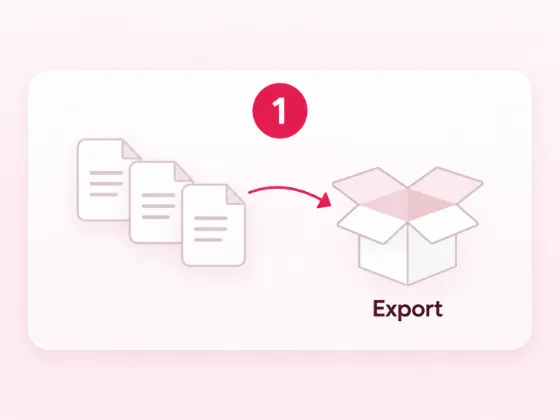
Bring the content across
An importer such as FG Drupal to WordPress moves articles, pages, categories, tags and images. Check each content type after the import.
4
Set 301 redirects
Point each old page address to its new one. Google advises keeping these redirects for at least a year.
5
Test, then switch
Check every page, form and user login before you point your domain at WordPress.
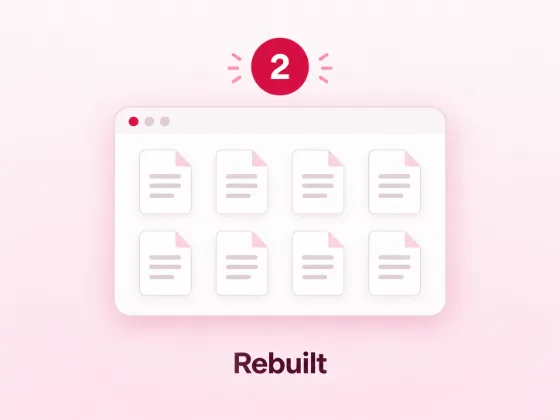
Moving a whole site? Our website redesign team rebuilds it on WordPress and moves your old content across.
Drupal or WordPress: our verdict
Drupal vs WordPress: which CMS should you choose?
Pick the platform your team can run in three years, not only the one that fits the launch. After this Drupal vs WordPress check, we pick WordPress for most business sites, because your own people can edit it and you can always find help. Drupal fits a smaller group: large organisations with complex content and a developer team on staff.
Three example sites (made up, to show the thinking)
A university with 40 departments, each with its own editors and access rules. Drupal. Detailed permissions and structured content suit it, and the IT team can own the upgrades.
A law firm that wants weekly articles and leads from Google. WordPress. The marketing team publishes on its own, and an SEO plugin covers titles, redirects and schema.
A manufacturer on Drupal 10 with a parts catalogue and a quote form. WordPress with WooCommerce. One move before December 2026 replaces an upgrade project, and the sales team edits products itself.
Go with Drupal if…
- Your site holds complex, linked content with strict access rules.
- A developer team on staff will own the platform and its upgrades.
Our pick for most business sites
Go with WordPress if…
- You want your own team to edit pages and publish posts.
- You want a large pool of developers and agencies to hire.
- You plan to sell online with no revenue share.
- You want to launch fast and grow the site over time.

Picked WordPress?
What happens after you say yes
If WordPress comes out ahead in your WordPress vs Drupal comparison, our team can take the build and the upkeep off your desk. WP BigBang is a WordPress-only team with 500+ websites built.
1
We look at your current site, your content types and anything you sell, and answer your Drupal vs WordPress questions.
2
The right plan
Business sites, stores and moves from another platform each have a plan with a printed price.
3
Design and build
We design the site around your brand and build it on WordPress.
4
Your content, moved
Leaving Drupal? Our redesign plans move your old content across.
5
Hand over
The files, the database and the domain are yours the day the site is finished. A care plan stays your choice.
Want the longer case first? Our guide explains why so many businesses choose WordPress as their CMS.
Frequently asked questions
WordPress vs Drupal questions, answered
Drupal vs WordPress: which is better?
WordPress, for most business sites. Your team can edit it, help is easy to hire, and WooCommerce takes no revenue share. Drupal is the better fit for large, complex sites with a developer team to run them.
Is Drupal better than WordPress for large sites?
Sometimes. Drupal shines when a site has complex, linked content and strict permissions. Many large sites run well on WordPress too, and they gain a bigger talent pool and simpler editing.
Drupal or WordPress: which is easier to use?
WordPress. Editors change pages in a visual editor or a page builder such as Elementor. Drupal needs a developer to set up and upgrade most sites, and editors then work inside that setup.
Drupal vs WordPress performance: which is faster?
Neither wins on its own. Drupal ships with page caching on, and in a Tag1 test both fresh installs got a top Lighthouse score. Hosting, caching and images decide the load time of a live site.
Is Drupal more secure than WordPress?
Both have dedicated security teams. The risk sits in sites that miss updates: 29.4% of Drupal sites still run Drupal 7, which no longer gets security updates. On WordPress, regular updates and good hosting cut that risk.
WordPress vs Joomla vs Drupal: which should a small business choose?
WordPress. It has the largest share of the three, the most add-ons and the most people to hire. Joomla and Drupal suit teams that want more built-in structure and have someone technical to run it.
What happens when Drupal 10 reaches end of life?
Drupal 10 reaches end of life on 9 December 2026, and no new releases follow. Sites on it need an upgrade to Drupal 11 or later, or a move to another platform, to keep getting security fixes.
Can I move my site from Drupal to WordPress?
Yes. Map your content types to WordPress post types, import the content with a tool such as FG Drupal to WordPress, then set 301 redirects, permanent forwards from each old link to its new page, so visitors and Google still find you.