You need a website that brings in calls, and you don’t want to rebuild it in two years. A website builder promises a site by Friday, so why use WordPress at all? Because WordPress gives you a site you own, room to add a shop or a blog later, and a free choice of who looks after it.
WordPress also asks for more care than a hosted builder, and we name that cost in this guide too. We build only on WordPress, so read this as a builder’s view with the limits left in. You also get a straight answer on whether it is the best CMS for small business websites like yours.
Last updated 14 September 2026. Figures checked on w3techs.com, wordpress.org, woocommerce.com, wix.com and squarespace.com.
Quick answer
Why use WordPress? You own the site, the software costs nothing, and you can grow from five pages to a shop without starting over.
The benefits of WordPress come with one job: someone has to run updates, either you or a care plan.
For most owners, that makes it the best CMS for small business. Not sure it fits yours? Book a free call.
Why use WordPress: five numbers worth knowing
40.3%
WordPress: share of all websites, so developers and help are easy to find
$0
WordPress: price of the software, which is open source
72,000+
WordPress.org: free plugins that add features without custom code
0%
WooCommerce on WordPress: revenue share taken from your store sales
2%
Squarespace Basic: fee on every online store sale
Why use WordPress: start with what it is
Why use WordPress? Because you own the site you build
You want to know what you are signing up for before you pay anyone. WordPress is free, open-source software for building and running websites. You install it on hosting you choose, and your pages, posts, images and customer details stay in your hands.
Two names cause most of the confusion. WordPress.org is where you download that free software. WordPress.com is a separate service that hosts WordPress sites for you, with its own paid plans and limits. In this guide, WordPress means the free software from WordPress.org. Keep that in mind whenever you read a “why use WordPress” article: most of them mean the free software too.
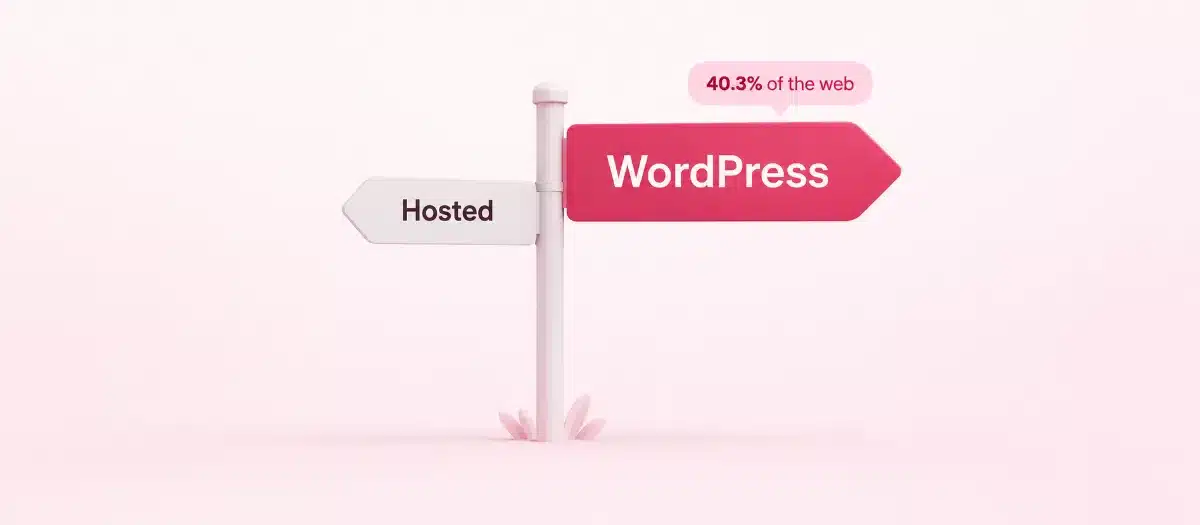
You would not be alone in choosing it. W3Techs counts WordPress on 58.8% of all websites whose content system it can identify, far ahead of Shopify in second place. When you weigh “why use WordPress?”, that reach counts: more developers to hire, more guides to read and more people who can help.
Benefits of WordPress: ownership
Keep your files, your content and your web address for good
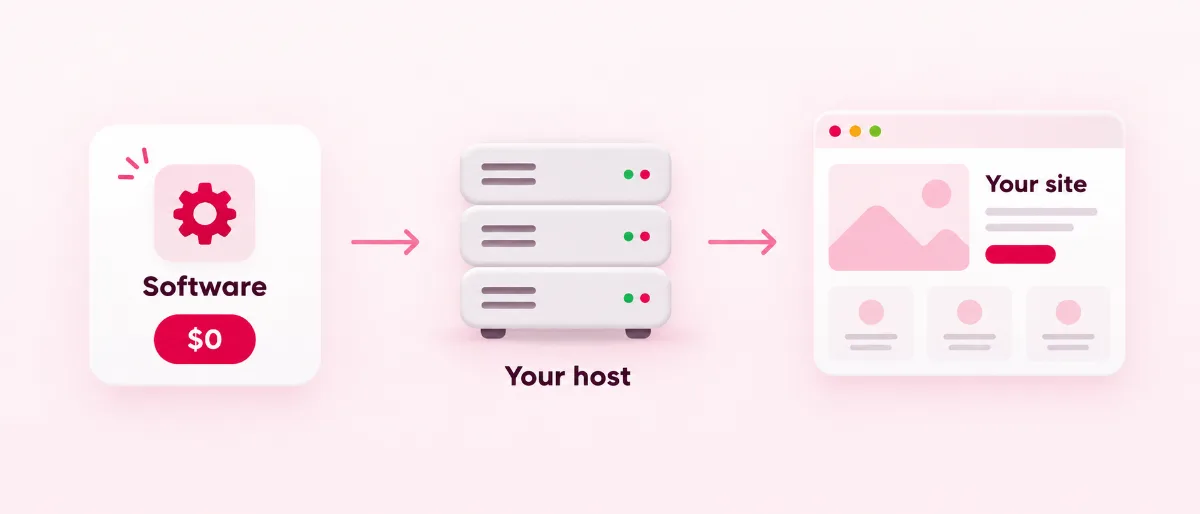
Why use WordPress when a builder feels quicker? Ownership is the first answer. The fear we hear most is paying for years, then finding you can’t take the site with you. On WordPress, the files and the database sit on hosting you pick. Move to a new host, a new designer or a new team whenever you like, and the whole site comes with you.
WordPress has a built-in export tool for your posts, pages, comments, categories and users. Your content never gets stuck inside one company’s account.
Hosted builders work another way. Wix keeps every site on its own servers, and a Squarespace export carries one blog page. Our Squarespace and WordPress guide shows what stays behind when you leave.
Why use WordPress: what it costs
Pay for the parts you use, not a plan that keeps climbing
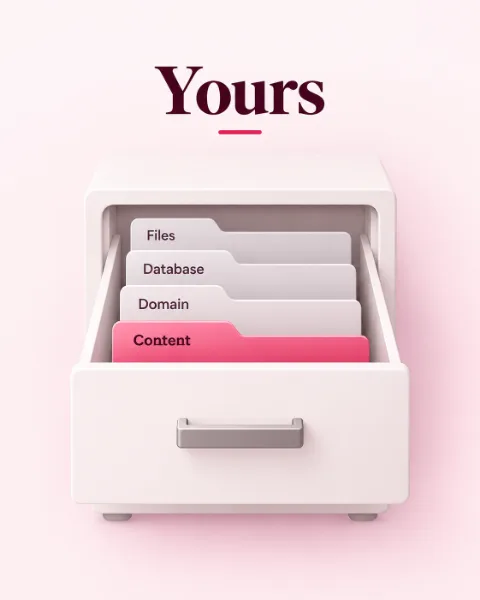
Money is the first worry for most owners, and the software line is the easy one. WordPress costs nothing to download or use. You pay for the parts around it: a domain, a place to host the site, and any paid theme, plugin or help you choose.
Hosted builders fold those parts into one plan, and the plan price rises as you add features. On WordPress you buy each part on its own and can switch any of them later. Our WordPress hosting plans start at $2.49 a month, billed once a year.
Why use WordPress if a builder bundles everything into one bill? A bundle keeps charging for features you never use, while on WordPress you drop a part the day you stop needing it.
Want the whole site built for a set price instead? Our affordable WordPress website design plans start at $245 for 3 pages, paid once.
Designing pages on WordPress
Is WordPress the best website builder? With Elementor, it works like one
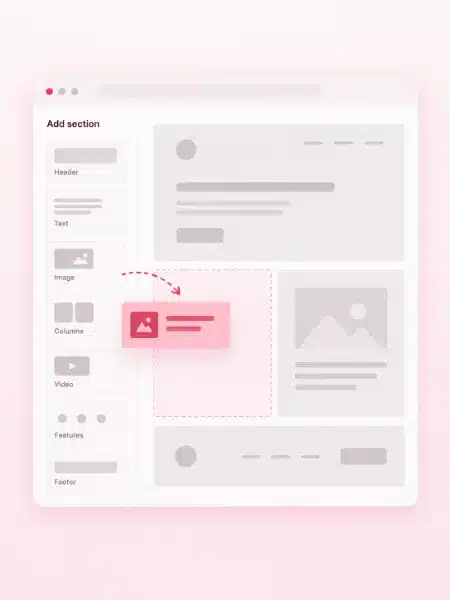
You don’t want to learn code to change a headline. Out of the box, WordPress is a content system, and its block editor handles text, images and simple layouts. Add a page builder such as Elementor and you drag sections into place, much like you would on Wix or Squarespace.
Plenty of owners pick that pairing. W3Techs finds Elementor on 31.6% of WordPress websites.
So, is WordPress the best website builder? For a site you plan to grow, we say yes, because the builder sits on software you own. Change the builder or the design later, and your content stays where it is.
Pro tip
Before you pick any platform, write down the three edits you make most, such as a price, a photo or your opening hours. Ask to see those three edits done live. Is WordPress the best website builder for you? That short test tells you.
Want WordPress without the setup work?
Why use WordPress for your business in particular? Talk it through with a team that builds only on WordPress.
Benefits of WordPress for Google
Built for publishing, and easy for Google to read
You want customers to find you without paying for every click. WordPress lets you set clean page addresses. An SEO plugin such as Rank Math adds titles, descriptions, sitemaps, redirects and schema: extra code that tells search engines what a page is about.
WordPress started as a blogging tool, and it shows. Writers get categories, tags, scheduled posts and a revision history that restores any saved version of a post.
Why use WordPress if Google is where your leads come from? Each new post adds a page you own and can rank, and our WordPress SEO team can set up the rest with you.
Why use WordPress as your business grows
Add a shop, bookings or a members area without starting over
Your business in two years may sell things it doesn’t sell today. On WordPress, a plugin adds that feature to the site you already have. The WordPress.org directory lists over 72,000 free plugins, from contact forms to event calendars. The same software runs one-page sites and sites with thousands of posts, so you won’t hit a ceiling that forces a move.
Selling online runs through WooCommerce, a free plugin that takes no share of your sales, and that freedom is a large part of why use WordPress for a growing business. We build WooCommerce stores for owners, and we set up bookings and subscriptions on them too.
One of the quiet benefits of WordPress is choice, and a short plugin list keeps a site lean. Our guide to free and premium WordPress plugins covers the ones worth installing.
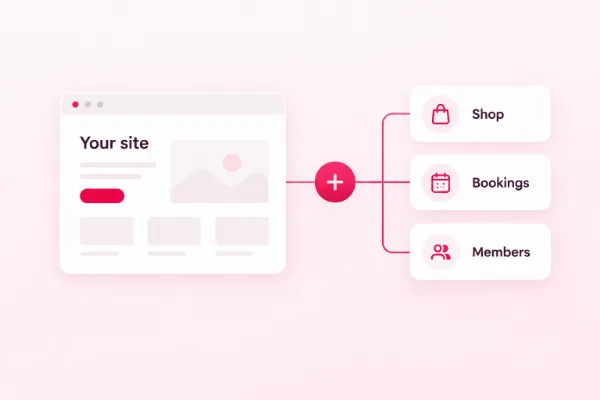
A website builder rents you a finished room. WordPress hands you the keys to the house and lets you add rooms later.
WordPress, Wix and Squarespace side by side
The best CMS for small business, next to hosted website builders
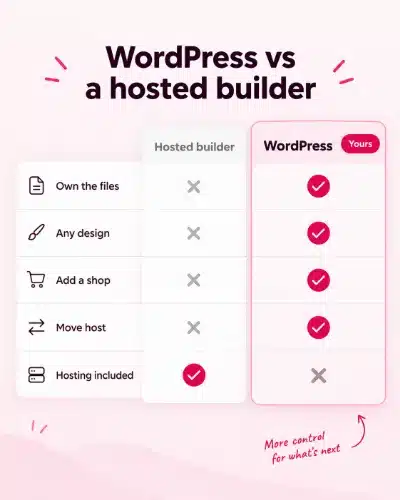
Wix and Squarespace are hosted website builders: you pay for a plan, and your site lives on their servers. WordPress is software you install on hosting you choose. The table puts the differences that matter to a small business in one place. When clients ask “why use WordPress?”, we point to two rows first: where your site runs, and what you can take with you.
Best CMS for small business: WordPress, Wix and Squarespace, checked 14 September 2026
WordPress
Wix
Squarespace
What it is
Open-source software you install
Hosted website builder
Hosted website builder
Cost to start
Software free; you pay for hosting and a domain
Free plan; paid plans remove Wix branding and connect your domain
No free plan; plans from $19 a month, billed yearly
Where your site runs
Any host you choose, and you can move later
Wix servers only
Squarespace servers only
Taking your content
Built-in export of posts, pages and users
Blog posts can't be exported to other platforms
One blog page per export file
Selling online
0% revenue share with WooCommerce
Online payments start on the Core plan
2% fee on Basic plan store sales
Design
Any theme or page builder, with full code access
Templates; a live site can't switch to another template
Templates, drag-and-drop editor and CSS editor
Adding features
Over 72,000 free plugins
Wix App Market
Squarespace Extensions
Updates
You or a care plan runs them
Wix runs them
Squarespace runs them
Best for
Sites you plan to own and grow
Simple sites that start free
Simple, image-led sites
Wix and Squarespace facts come from their own plan and help pages. Card processing fees are extra on every platform.
Is WordPress the best website builder once you set it beside these two? For owning and growing a site, it wins most rows. For the full detail, read our WordPress and Wix comparison, or see how WordPress holds up against Drupal for bigger content sites.
Why use WordPress with your eyes open
Benefits of WordPress, and the honest limits beside them
Every platform asks something of you. Before you choose, know what WordPress asks for, and how owners handle it without a developer on staff.
What you get
- You own the files, the database and every post.
- The software is free and open source.
- Any design you want, from a theme or a page builder such as Elementor.
- A blog, SEO tools and a shop can all join the same site.
- WordPress installs minor core releases by itself by default.
What it asks of you
- Someone has to update themes and plugins and keep backups.
- Plugin quality varies, so each one needs a careful pick.
- You choose the hosting, and cheap hosting shows.
Why use WordPress if it needs upkeep? Because the jobs are small and regular. Our WordPress website maintenance checklist lists them month by month, and our WordPress security best practices guide covers what you can do yourself.
Rather hand it off? Our WordPress care plans start at $49 a month, and you keep every file whether you sign up or not.
Why use WordPress: our verdict
Why WordPress is the best CMS for most small businesses
Pick the platform that fits the business you plan to run in two years, as well as today. For most owners that is WordPress: it is the best CMS for small business sites that need to be owned, found on Google and grown. A hosted builder fits a smaller group, owners who want a simple site live fast with nobody to run updates.
Three example businesses (made up, to show the thinking)
A physio clinic that wants weekly articles and online bookings. WordPress. A blog, an SEO plugin and a booking plugin all live on one site the clinic owns.
A bakery that sells cakes online and plans baking classes next year. WordPress with WooCommerce. No revenue share on orders, and the classes can join the same site later.
A one-month pop-up shop that needs a single page this week. A hosted builder. The site will stay tiny and close soon, so nobody needs to own it for years.
Is WordPress the best website builder for you? Tick the card that matches your plans.
A hosted builder fits if…
- You need a small site live this week, and it will stay small.
- Nobody will run updates, and you never plan to move the site.
Our pick for most small businesses
WordPress fits if…
- You want to own the site, its files and its content.
- Google traffic and a growing blog matter to you.
- You may add a shop, bookings or a members area later.
- You want the freedom to change host, design or team.
Starting on WordPress
Five steps to a WordPress site that works from day one
A clean start saves you a rebuild later, and it is the part most “why use WordPress” lists skip. Follow these steps yourself, or let our team handle them. WP BigBang is a WordPress-only team with 500+ websites built.
1
Write down the site's job
List the pages you need, the one thing you want visitors to do, and anything you plan to sell.
2
Pick hosting made for WordPress
Look for daily backups and SSL, and register the domain in your own name.
3
Choose a theme and a page builder
A light theme with Elementor lets you edit pages without code.
4
Install only the plugins you need
Start with SEO, forms, backups and security, and add the rest when a real need shows up.
5
Plan the upkeep before launch
Put updates and backups on a monthly list, or hand them to a care plan.
Want the steps done for you? Book a free call, and we’ll map your pages, your content and anything you want to sell.
Frequently asked questions
Why use WordPress? Your questions, answered
Why use WordPress instead of a website builder?
You own it. The software is free, the site runs on hosting you choose, and you can add a shop, a blog or bookings later. A hosted builder is quicker on day one, but it keeps your site on its own servers.
What are the main benefits of WordPress for a small business?
Ownership of your site and content, free open-source software, any design you want, strong SEO plugins, and room to grow with plugins such as WooCommerce. The trade-off is upkeep, which you or a care plan handles.
Is WordPress the best website builder?
For a site you plan to own and grow, yes. With a page builder such as Elementor, you edit pages by dragging sections, much like on Wix or Squarespace. For a tiny site that must go live this week with nobody to run updates, a hosted builder can be simpler.
What is the best CMS for small business websites?
For most small businesses, WordPress. W3Techs counts it on 58.8% of websites with a known content system, so help is easy to find, and you keep full ownership. Wix or Squarespace can suit a very simple site.
Is WordPress free?
The software is free and open source. You pay for a domain, hosting and any paid theme, plugin or help you choose. WordPress.com is a separate hosted service with its own paid plans.
Is WordPress secure?
Yes, when you keep it updated. WordPress installs minor core releases by itself by default. The risk grows when themes and plugins go without updates or logins are weak, so updates, backups and strong passwords matter.
Is WordPress hard to use?
Not with the right setup. The block editor and page builders such as Elementor let you edit without code. The harder part is upkeep, which you can run yourself or hand to a care plan, and that trade is the one real cost in why use WordPress.
Can I move my site to WordPress later?
Yes. Squarespace, for example, exports a file that WordPress can import, and any pages that don’t export get rebuilt. Set 301 redirects, permanent forwards from each old address to its new page, so visitors and Google still find you.