You picked WordPress. Now a second choice decides how every page gets built, edited and paid for: Elementor vs Divi vs WPBakery. We build our client sites on Elementor, and we say so up front. This guide uses the prices and licence terms we checked on each official site in September 2026, so you can choose once and skip the rebuild.
Last updated 14 September 2026. Prices checked on elementor.com, elegantthemes.com and wpbakery.com.
Quick answer
The best WordPress page builder for most small business sites is Elementor: start free, add Pro from $60 a year, and design headers, footers and pages in one editor.
In Elementor vs Divi, choose Divi if you build many sites and want one licence for all of them. Choose WPBakery to keep an older site that already runs on it.
Still weighing Elementor vs WPBakery or Divi? Book a free call with a WordPress team that builds on Elementor.
Elementor vs Divi vs WPBakery: the numbers that decide it
$0
Elementor: price of the free plugin, so you can try the real editor first
40+
Elementor free: widgets you can build with before you pay anything
$60
Elementor Pro Essential: a year for one site, with Theme Builder included
$89
Divi: a year for unlimited sites, with no free version
1 year
WPBakery: support and auto-updates before a paid renewal
Elementor vs Divi vs WPBakery: the basics
Three ways to build WordPress pages without writing code
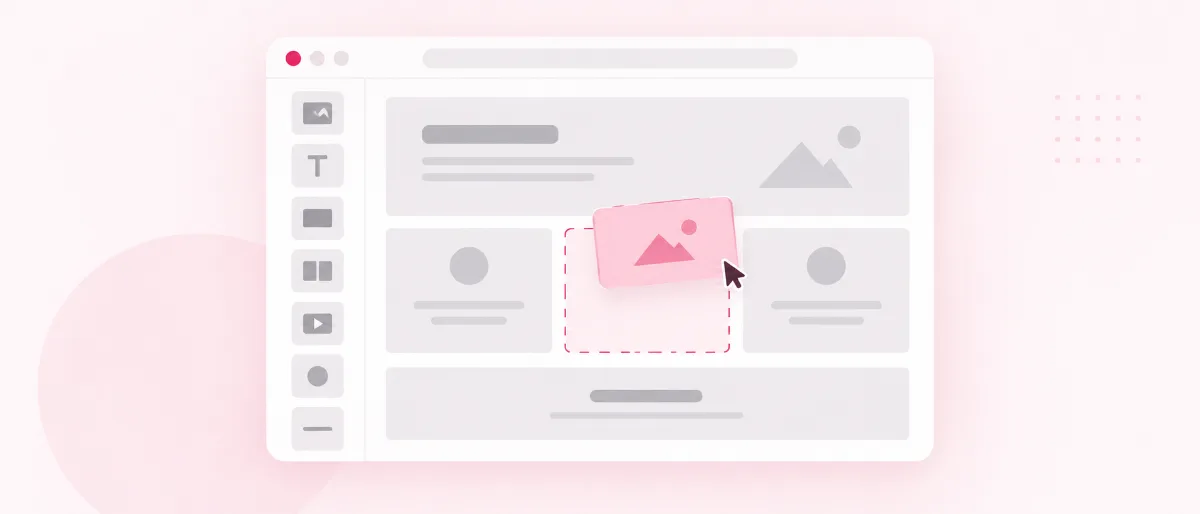
A WordPress page builder is a plugin that lets you design pages by dragging blocks into place, with no code. It sits on top of WordPress, so the site, the content and the hosting choice stay yours. Still choosing a platform? Read why so many small businesses run on WordPress first.
Elementor is a page builder plugin with a free version on WordPress.org and paid Pro plans. The free plugin lists 10+ million active installations, so help, tutorials and add-ons are easy to find.
Divi, from Elegant Themes, is a theme with a builder inside it, also sold as the Divi Builder plugin for other themes. Divi 5, the current version, saves pages in a block format instead of the shortcodes older Divi sites used.
WPBakery joins Elementor vs Divi as the third name you will meet. WPBakery Page Builder is a paid plugin that works in the content area of each page, while your theme handles the header and footer. Theme authors can buy a licence to bundle it, so you may find it already inside a theme you bought.
In this Elementor vs Divi guide, WPBakery joins as the third option because you will still meet it on existing sites and inside themes. If you are still comparing whole platforms, our Squarespace and WordPress comparison covers that step.
Best WordPress page builder for beginners
Elementor vs Divi on ease: which builder lets you start fastest?
You want pages live without learning a new trade, and you don’t want to pay before you know the tool fits. In an Elementor vs Divi test, Elementor lets you try its real editor for free. Divi and WPBakery ask for payment first, with a refund window if you change your mind.
Elementor
- A free version on WordPress.org with 40+ widgets.
- Drag-and-drop editing on the page itself, with responsive controls.
- Theme Builder in every Pro plan, so headers, footers and templates live in one editor.
- Works with any theme that follows WordPress coding standards.
- If Pro lapses, everything in the free version keeps working.
- Pro renews every year, and popups and store features start at the $84 Advanced Solo plan.
Divi
- One licence covers unlimited websites.
- 2,000+ ready-made layouts and 200+ elements.
- No free version, so you pay before you build.
- Built as a theme; with another theme you need the separate Divi Builder plugin.
- Older Divi 4 pages use shortcodes and need Divi 5's migration step.
WPBakery
- Pay once for one site and keep using it.
- A front-end editor and a back-end editor.
- No free version, only an online demo sandbox.
- Works in the content area only; headers and footers come from your theme.
- Support and auto-updates stop after year one unless you renew.
Ease also depends on how heavy each page gets. Whichever side of Elementor vs Divi you land on, keep your pages light; our guide to a faster WordPress site shows what to trim first.
Elementor vs Divi pricing, checked September 2026
What each builder costs in year one, and what it takes to keep it
Money is the first worry for most owners, and the best WordPress page builder for you is one you can afford to keep. Elementor charges per site each year, Divi charges once for unlimited sites, and WPBakery charges once per site. The cheapest pick depends on how many sites you run.
Elementor vs Divi vs WPBakery prices in US dollars, checked 14 September 2026
Plan
Price
Sites
What you get
To keep updates after year one
Elementor (free plugin)
$0
Any
40+ widgets and the drag-and-drop editor
Free updates on WordPress.org
Elementor Pro Essential
$60 a year
1
57 Pro widgets, Theme Builder, Form Builder
Renew each year
Elementor Pro Advanced Solo
$84 a year
1
85 Pro widgets, popups, custom code, store features
Renew each year
Divi Lifetime
$249 once
Unlimited
Divi theme and builder, updates and support for life
Nothing more to pay
$82 once
1
50+ elements, template library, 1 year of support
$59 a year for support and auto-updates; manual updates stay free
In a WPBakery vs Divi vs Elementor cost check, refund windows differ too: Elementor gives 30 days on annual plans, Divi 30 days, WPBakery 15 days on lifetime licences.
For one small business site in an Elementor vs Divi price check, Elementor Pro Essential costs $60 a year, and a simple site can run on the free plugin alone.
Divi wins on price once you build many sites, because one licence covers them all. That is the fair case for Divi: web professionals with a long list of client sites.
WPBakery looks cheapest at checkout, and then support and auto-updates end after a year unless you renew. In an Elementor vs WPBakery cost check, count year two as well as the first payment.
Want an Elementor site without the build work?
Still deciding Elementor vs Divi? Talk it through with a WordPress team that builds client sites on Elementor.
Editing compared
Elementor vs WPBakery: build the whole page, header to footer
You want to click a heading, change it and see the result right away. Elementor edits on the page itself, with drag-and-drop widgets and responsive controls for each screen size.
WPBakery gives you two editors: a front-end editor, and a back-end editor that shows the page as a plan of rows and blocks. Each WPBakery element is a shortcode, a short tag in square brackets that WordPress turns into content.
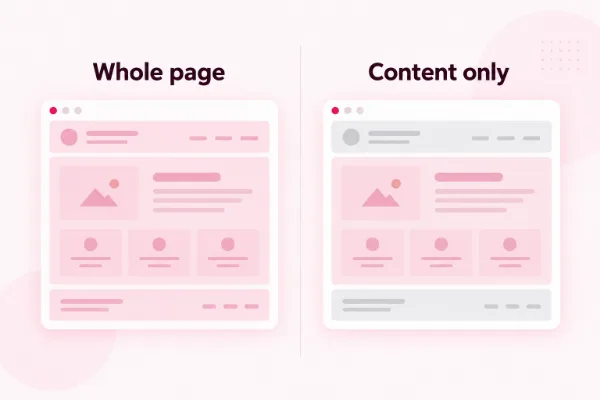
The bigger gap in Elementor vs WPBakery sits outside the content area. Elementor Pro’s Theme Builder designs headers, footers and page templates, while WPBakery’s own help pages send you to your theme for those.
Pro tip
Test before you pay. Install Elementor’s free plugin on a test copy of your site, open WPBakery’s online demo sandbox, and try Divi inside its 30-day refund window. Build the same top section in each one and note which felt quickest.
Designs and templates
Divi vs WPBakery on ready-made designs, and where Elementor fits

Ready-made designs save you days when you have no designer, and they are where Divi scores best in Elementor vs Divi. Divi leads on volume, with 2,000+ layouts you can drop in and edit.
WPBakery ships 100+ predefined templates and a template library, plus a market of add-ons for extra elements. Elementor offers complete website kits and a library of single pages, blocks and popup templates.
A template only gets you part of the way. For a site that looks like your business, start from your own design, and if yours is ready in Figma, we turn Figma designs into WordPress sites.
Store pages with a page builder
Building a WooCommerce store: which builder reaches your shop pages?
If you sell, your product and checkout pages carry the money, so Elementor vs Divi comes down to how each builder reaches them. Elementor’s store features, including its WooCommerce Builder, come with the Advanced Solo plan and above.
Divi includes dozens of ecommerce modules for designing store pages. WPBakery adds WooCommerce shortcodes as content elements, while the shop templates around them stay with your theme.
For a store you plan to grow, we pick WooCommerce with Elementor, so the shop, the product pages and the checkout share one design. See how we build WooCommerce stores.
Pick the page builder you will still be glad to edit three years from now.
Elementor vs Divi vs WPBakery at a glance
WPBakery vs Divi vs Elementor: the full comparison table
This Elementor vs Divi vs WPBakery table uses only facts from each builder’s own site. Scan the rows that matter to you and skip the rest.
WPBakery vs Divi vs Elementor, checked 14 September 2026
Elementor
Divi
WPBakery
Free version
Yes, on WordPress.org
No
No, demo sandbox only
Lowest paid price
$60 a year, 1 site
$89 a year, unlimited sites
$82 once, 1 site
Headers and footers
Theme Builder in every Pro plan
Theme Builder included
Through your theme
Works with other themes
Any theme that follows WordPress coding standards
Through the Divi Builder plugin
Any properly coded theme
Editing
Drag and drop on the page
Drag and drop on the page
Front-end and back-end editors
Store pages
WooCommerce Builder from Advanced Solo
Dozens of ecommerce modules
WooCommerce shortcodes as elements
Ready-made designs
Website kits and a template library
2,000+ layouts
100+ predefined templates
Refund window
30 days on annual plans
30 days
15 days on lifetime licences
Best for
Most small business sites and stores
Many sites on one licence
An existing site already built with it
WPBakery vs Divi vs Elementor: licences and leaving later
What happens to your pages when you stop paying or switch builders
A renewal you forget should never catch you off guard. Before you settle Elementor vs Divi, read what each builder does when a payment stops.
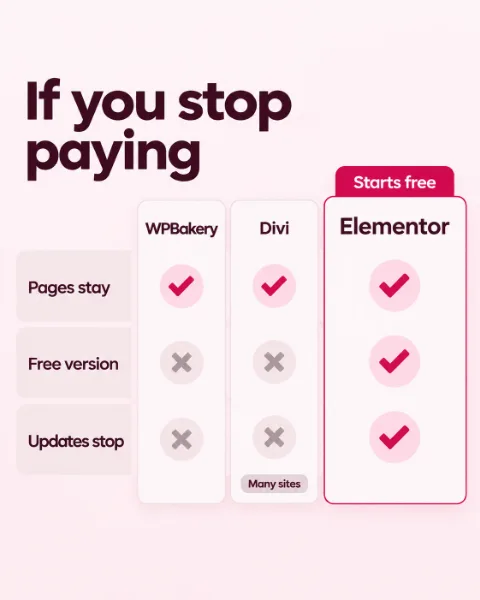
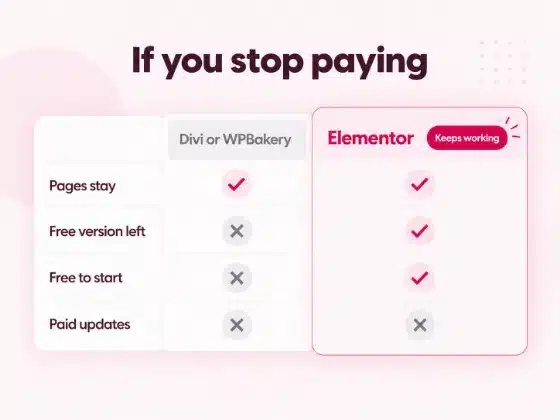
Elementor: if Pro lapses, everything in the free version keeps working and you can keep updating it. Pro updates stop, and your existing Pro features may be limited.
Divi: cancel the yearly plan and you keep using what you downloaded, without new updates or support. The lifetime plan keeps both for life.
WPBakery: your licence lasts for life and manual updates stay free. Support and auto-updates need a yearly renewal after the first year.
Leaving any builder means rebuilding its pages in the new one. Divi 5 no longer stores pages as shortcodes, while WPBakery pages are built from them, so an Elementor vs WPBakery switch needs a clean-up of those tags.
Licences, plugin updates and backups are easy to let slide on a busy week. Our WordPress care plans start at $49 a month and keep them current for you.
Our verdict
Elementor vs Divi: which is the best WordPress page builder for your site?
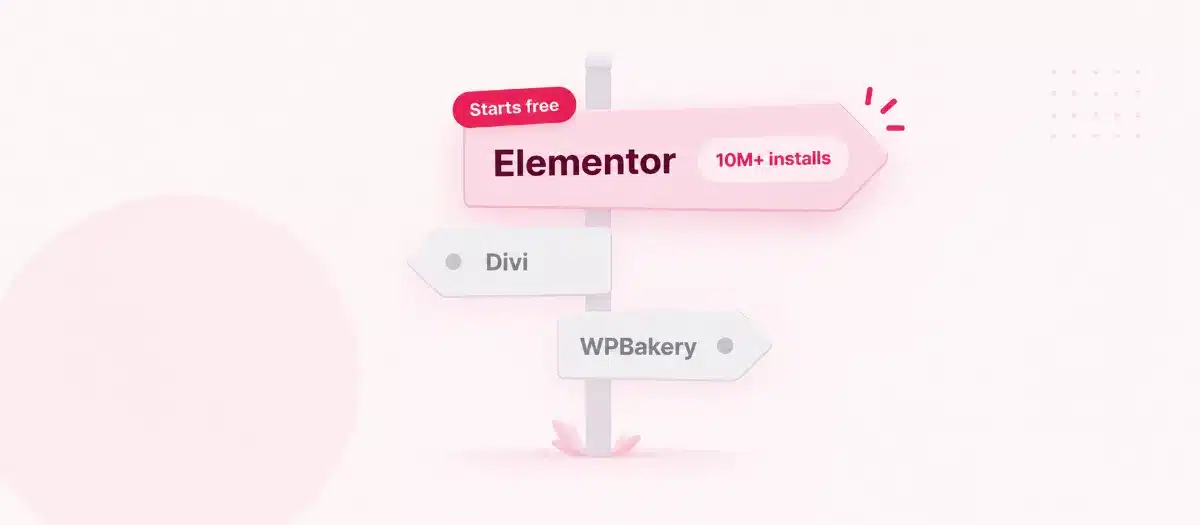
Pick the builder that fits the site you plan to run in two years. After this Elementor vs Divi vs WPBakery check, we pick Elementor as the best WordPress page builder for most small business sites: a free start, Pro per site when you need it, and headers, footers and pages in one editor. Divi suits people who build many sites on one licence, and WPBakery suits a site that already runs on it.
Three example sites (made up, to show the thinking)
A plumber who needs a five-page site and wants to edit prices and photos himself. Elementor. The free plugin covers simple pages, and Pro adds a header and footer he can change in the same editor.
A freelancer who builds sites for 20 clients a year on one budget. Divi, if they want to build every site themselves, since one licence covers them all. Prefer to hand the builds to a team working under your name? Our white-label WordPress team does that.
A shop owner whose theme came with WPBakery years ago, now weighing WPBakery vs Divi vs Elementor. Keep WPBakery while the site works, and plan the move to Elementor before the next big change.
Go with Divi if…
- You build many sites and want one licence for all of them.
- You like starting from a large library of ready-made layouts.
Go with WPBakery if…
- Your current theme already runs on it and the site works.
- You want to pay once for a single site.
Our pick for most small business sites
Go with Elementor if…
- You want to start free and pay for Pro only when you need it.
- You want headers, footers and pages in one editor.
- You plan to sell with WooCommerce later.
- You want a builder that works with any theme that follows WordPress coding standards.
Elementor vs WPBakery: switching an older site
Move an older site to Elementor without losing a page
Plenty of sites built years ago still run on WPBakery or Divi 4, long before the Elementor vs Divi question reached them. If you want to switch, a clean move runs in five steps.
1
Make a test copy
Copy the live site to a private test site, so visitors never see a half-built page.
2
Install Elementor next to the old builder
Keep the old builder switched on while you rebuild, so the old pages still display.
3
Rebuild page by page
Start with the pages that bring calls and sales, then work down the list.
4
Clean up
Switch the old builder off and search your pages for leftover shortcode tags in square brackets.
5
Test, then go live
Check every page, form and link on the test copy before you replace the live site.
Moving a whole site? Our website redesign team rebuilds it on WordPress and moves your old content across.
Picked Elementor?
What happens after you say yes
If Elementor wins your Elementor vs Divi comparison, our team can build the site for you. WP BigBang is a WordPress-only team with 500+ websites built.
1
We look at your pages, your content and anything you want to sell.
2
The right plan
Our Business website plan starts at $587, one-off, with a blog and the first year of hosting included.
3
Design and build
We design the site around your brand and build it on Elementor.
4
Hand over
The files, the database and the domain are yours the day the site is finished.
Need a smaller site first? Our affordable WordPress website design plans start at $245 for 3 pages.
Frequently asked questions
Elementor vs Divi vs WPBakery questions, answered
Elementor vs Divi: which is better?
Elementor, for most small business sites. You can start free, pay for Pro per site, and design headers, footers and pages in one editor. Divi is better value when you build many sites, because one licence covers them all.
What is the best WordPress page builder for beginners?
Elementor is the best WordPress page builder for beginners. Its free plugin gives you 40+ widgets and drag-and-drop editing on the page, so you can learn on a real site before paying. Divi and WPBakery have no free version.
Elementor vs WPBakery: which should a new site use?
Elementor. WPBakery works in the content area only, so your theme controls the header and footer, and its pages are built from shortcodes. Elementor Pro’s Theme Builder designs the whole site in one editor.
WPBakery vs Divi vs Elementor: which costs the least?
It depends on how many sites you run. For one simple site, Elementor’s free plugin costs nothing. For many sites, one Divi licence covers them all, and WPBakery charges once per site with support for the first year.
Is Elementor free?
Yes. The Elementor plugin on WordPress.org is free. Elementor Pro, which adds Theme Builder and more widgets, starts at $60 a year for one site.
Does Divi work with other themes?
Yes, through the Divi Builder plugin, which comes with the Divi membership. The Divi theme itself has the builder built in.
What happens if I stop paying for Elementor Pro?
Everything in the free version keeps working, and you can keep updating it. Pro updates stop, and Elementor says you may only have limited access to your existing Pro features.
Can WP BigBang build my site on Elementor?
Yes. We build client sites on Elementor, and our Business website plan starts at $587, one-off. The files, the database and the domain are yours the day the site is finished.