

You want to sell online without paying a platform every month for tools you may never use. The free core covers most of what a small store needs, and paid extensions fill the gaps as the store grows. This WooCommerce features list sorts the two, using the features and prices we checked on woocommerce.com. You will know what to install and what to skip.
Last updated 14 September 2026. Features and prices checked on woocommerce.com and wordpress.org.
Quick answer
What is WooCommerce? A free WordPress plugin that turns your site into an online store, with no platform fee on your sales.
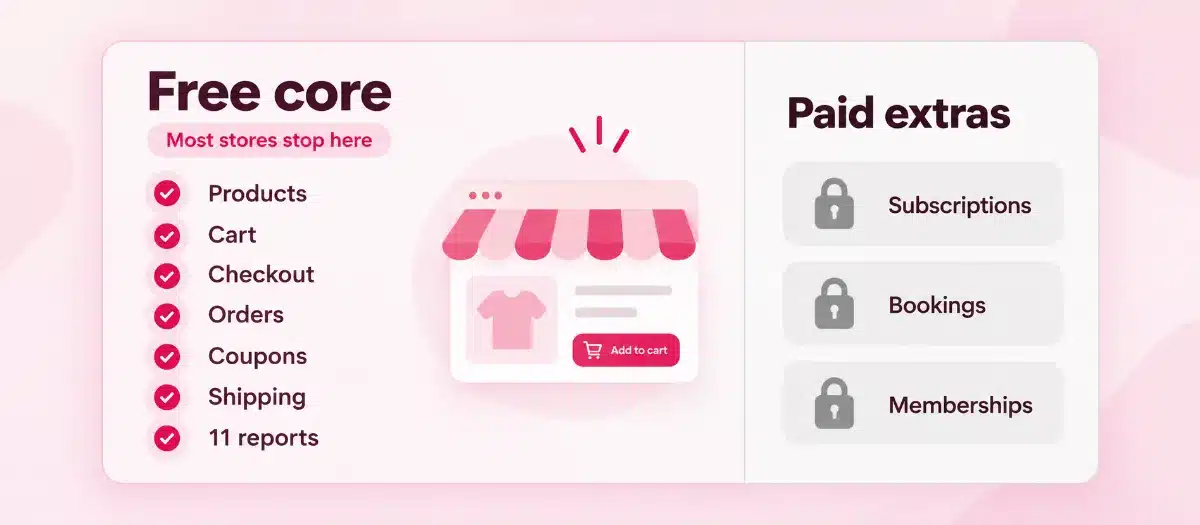
The free core covers products, checkout, coupons, shipping zones, tax rates and sales reports, which is a full WooCommerce features list for most small stores.
Paid extensions add subscriptions, bookings, memberships and product options, from $79 to $279 a year each.
Not sure which WooCommerce features your store needs? Book a free call with a team that builds only on WordPress.
WooCommerce features: the numbers behind the cost
$0
WooCommerce core: price of the plugin, with no monthly subscription
0%
WooCommerce: revenue share on your store sales
11
WooCommerce Analytics: sales, stock and customer reports in the free core
$29–$299
Woo Marketplace: yearly price of one paid extension
30 days
Woo Marketplace: money-back window on paid extensions
The basics first
What is WooCommerce, and what does it add to WordPress?
WooCommerce is a free, open-source plugin that adds an online store to a WordPress website. You install it from the WordPress plugin directory, which lists more than 7 million active installations. Your products, orders and customer data sit on hosting you choose.
Your blog, your pages and your shop share one dashboard. You can write a buying guide in the morning and link it to the product in the same editor. That mix of content and commerce is why content-led businesses choose WordPress as their CMS.
So what is WooCommerce to a small business owner? A store you own, on free software you can keep, move and change for as long as the business runs.

WooCommerce features for your products
Sell physical goods, downloads and services from one store
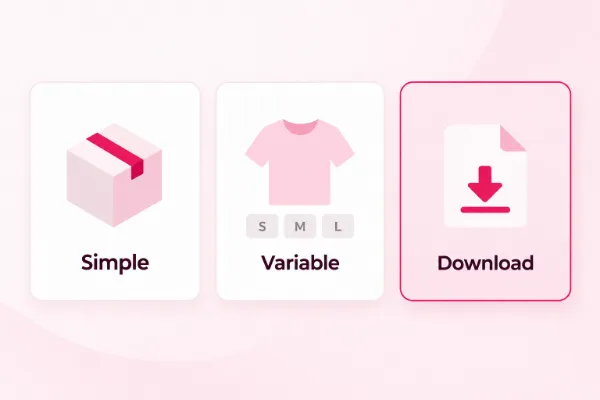
Your catalog is the heart of the store, so start with what the free core lets you sell. It gives you six product types and options: simple, grouped, external or affiliate, variable, virtual and downloadable.
A variable product handles a T-shirt in each size and color. Every version gets its own price, stock level and SKU, the stock code you track it by. A downloadable product lets the customer get an ebook or a template right after payment.
Brands come built in, each with its own archive page. A CSV tool, which reads a spreadsheet file, imports or updates your whole catalog at once. These features of WooCommerce save you a plugin before you have even started.
Stock tracking comes with it. Turn on stock management, and WooCommerce alerts you when a product runs low or sells out, so you can reorder before a customer sees “out of stock”.
Payments and checkout
WooCommerce features that get you paid, with no cut of each sale
A confusing checkout loses the sale you worked hard to win. New WooCommerce stores use the block cart and checkout, which you edit like any other page. Shoppers can check out as guests, so a first-time buyer does not have to make an account.
Card payments are one of the WooCommerce features you add through a free extension, such as WooPayments, Stripe or PayPal Payments. The Stripe extension alone accepts Apple Pay, Google Pay, Klarna and Afterpay.
You pay the payment provider’s fee and nothing to WooCommerce. WooPayments, for example, takes 2.9% + $0.30 on a US card, straight from your payout.
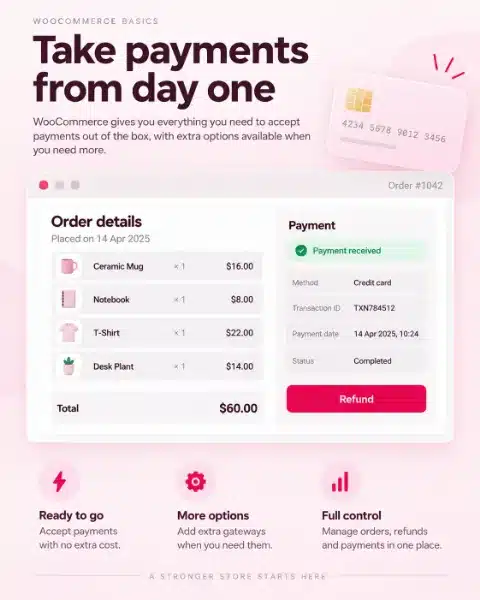
Refunds run from the order screen. With a gateway that supports it, the money goes back to the customer’s card in the same step.
Pro tip
Before launch, place one real order with your own card, then refund it from the order screen. In one pass you test the checkout, the emails and the refund.
Want a WooCommerce store without the setup work?
We build WooCommerce stores on WordPress and set up the features your products need, bookings and subscriptions included.
Shipping and tax in WooCommerce
Charge the right shipping and tax without a spreadsheet
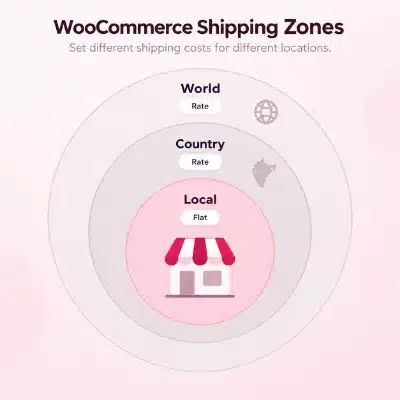
A surprise cost at checkout sends buyers away. Shipping zones match each address to the rates you set, whether the zone is a country, a state or a ZIP code.
Three shipping methods come free: flat rate, free shipping and local pickup. Live rates from carriers come through extensions, so add one only when your parcels vary a lot in size and weight.
Tax works the same way. You enter the rates for the places you sell to, and WooCommerce adds them to each order. An automated tax extension can look the rates up for you once you sell across many states.
These features of WooCommerce cost nothing extra, so shipping and tax setup adds no line to your yearly bill.
Marketing features of WooCommerce
Bring shoppers back with coupons, Google listings and search traffic
A store with no visitors sells nothing. The free WooCommerce features for marketing start with coupons in three discount types, with a minimum spend, usage limits, product rules and an expiry date.
The free Google for WooCommerce extension syncs your products to Google Merchant Center, so they can show in free listings across Google. Ads stay optional, and you pay only when someone clicks.
Because the store runs on WordPress, you can publish buying guides that bring in search traffic. An SEO plugin such as Rank Math adds titles, descriptions and product schema, extra code that tells Google what a product is. Our WordPress SEO team can set that up with you.
Everyday WooCommerce features
Orders, stock and sales reports in one dashboard
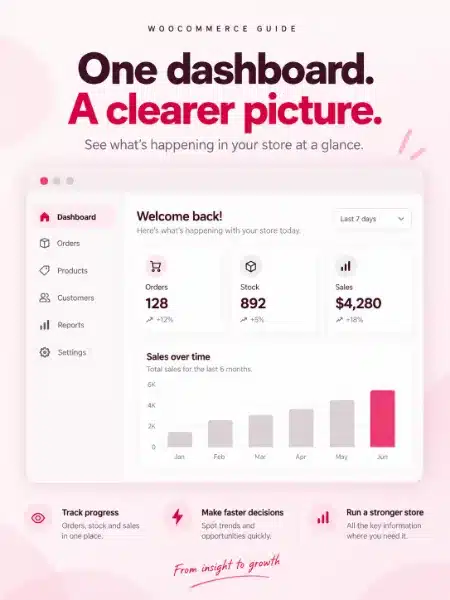
Once orders arrive, you want quick answers: what sold, what is running low, which coupon worked. WooCommerce Analytics answers them in 11 reports, from revenue and orders to stock, coupons and customers.
Each report filters by date, compares against the period before and downloads as a CSV file. The order attribution report shows where each sale came from.
Away from your desk? The free WooCommerce app for iOS and Android lets you process orders and add products. Its built-in point of sale can take in-person payments too.
Busy sale days are planned for as well. New stores save orders in their own database tables, which WooCommerce designed for large order volumes.
Free core vs paid extensions
What the free core handles, and where extensions earn their price
Most small stores can launch on the free WooCommerce features and add a paid extension only when a product needs one. Weigh both sides before you spend.
Free WooCommerce core
- No price and no revenue share on your sales.
- Six product types and options, including variable and downloadable.
- Coupons, shipping zones and tax rates built in.
- 11 sales and stock reports, plus a free mobile app.
- Open source, so the store and its data stay yours.
- Subscriptions, bookings and memberships need an extension.
Paid extensions
- Add recurring billing, bookings, memberships and product options.
- A 30-day money-back window on the Woo Marketplace.
- Each one is priced per year, with updates and support for that year.
- Each extra plugin is one more thing to update and test.
The plugin is one part of the store. Hosting, a domain, backups and an SSL certificate, the padlock that secures checkout, come from your host or your developer, so budget for them from day one.
Free and paid, side by side
The full WooCommerce features list: free core vs paid extension
WooCommerce features list with Woo Marketplace prices, checked 14 September 2026
Feature
Free in WooCommerce core
Paid extension (Woo Marketplace, 1-year plan)
Product types
Simple, grouped, external, variable, virtual, downloadable
Not needed
Brands and CSV import
Built in
Not needed
Cart and checkout
Block cart and checkout, guest checkout
Not needed
Card payments
Free WooPayments, Stripe and PayPal Payments extensions; provider fees apply
Not needed
Coupons
Three discount types, spend and usage limits, expiry date
Not needed
Shipping
Zones, flat rate, free shipping, local pickup
Live carrier rates
Tax
Tax rates you enter
Automated tax rates
Reports
11 Analytics reports with CSV download
Not needed
Google listings
Free Google for WooCommerce extension; ads paid per click
Not needed
Mobile app and point of sale
Free app for iOS and Android
Not needed
Product options (engraving, gift note)
Not included
Product Add-Ons, $79 a year
Bundles
Grouped products
Product Bundles, $79 a year
Memberships
Not included
WooCommerce Memberships, $199 a year
Bookings
Not included
WooCommerce Bookings, $249 a year
Subscriptions
Not included
WooCommerce Subscriptions, $279 a year
Extension prices are 1-year plans in US dollars from each product page on woocommerce.com. Card processing fees apply with every gateway.
Read the table row by row. If each row you need says “Not needed” in the last column, your store runs on the free core, and your running costs are hosting, a domain and card fees.

Start on the free core. Pay for an extension when a real product or a real customer asks for it.
Paid features of WooCommerce
Four paid extensions that change what your store can sell
Sooner or later a customer asks for something the free WooCommerce features cannot do. These four extensions add the options a growing small store tends to need next.
Subscriptions, $279 a year. Sell a coffee box, a software license or a monthly class that renews by itself. Customers can upgrade, downgrade or manage their own plan.
Bookings, $249 a year. Let customers book appointments, reserve a slot or rent equipment on your site, with Google Calendar sync to avoid double bookings.
Memberships, $199 a year. Lock content or products to members, release lessons over time and give members their own discounts.
Product Add-Ons, $79 a year. Let buyers add engraving, a gift note or a custom size, with a flat or percentage fee on each option.
Setting up these paid WooCommerce features takes care, because each one touches checkout, emails and payments. We set up bookings and subscriptions on the WooCommerce stores we build.
WooCommerce features vs hosted platforms
How WooCommerce compares with hosted store platforms
Shopify and BigCommerce are hosted platforms: you pay a monthly plan, and the store lives on their servers. WooCommerce runs on hosting you pick, and the plugin itself costs nothing.
Weighing a hosted platform? Our WordPress and Shopify comparison and our BigCommerce and WooCommerce breakdown go line by line through fees, features and ownership.
On WooCommerce you add only the extensions you choose, and the features of WooCommerce you already use keep working if you move to a new host.
Plan before you buy
Build your own features list in five steps
Write your WooCommerce features list before you buy a single extension. It keeps the yearly bill small and the store simple.
1
List what you sell
Physical goods, downloads, services or memberships. That tells you which product types you need.
2
Tick what the core covers
Check each need against the table above and mark the ones the free core already handles.
3
Price the gaps
For each need left over, note the yearly price of the extension that covers it.
4
Pick one payment gateway
WooPayments, Stripe and PayPal Payments are free to install, so compare their card fees for your country.
5
Test before launch
Place a real order, refund it and read every email your customer receives.
Our verdict on WooCommerce features
Is WooCommerce the right store for your business?
For most small stores, yes. The free core covers the WooCommerce features you need on day one, paid extensions cover growth, and your product pages and order records stay yours. We build only on WordPress, so weigh that as you read.
Three example stores (made up, to show the thinking)
A candle maker selling a few dozen scents in the US. The free core alone: variable products for scents and sizes, flat-rate shipping, coupons and free Google listings.
A yoga studio selling classes and monthly passes. WooCommerce with Bookings and Subscriptions, on the same site as the studio’s blog.
A seller who wants a shop live this week and does not want to think about updates. A hosted platform can suit them, or WooCommerce with a care plan that runs the updates.
A hosted platform fits if…
- You want a shop live this week with hosting in one monthly bill.
- Nobody on your team will run updates, and you won't pay anyone to.
Our pick for most small stores
WooCommerce fits if…
- You want to own the store, its data and its design.
- You want no platform fee on your sales.
- You plan to win buyers through a blog and search as well as ads.
- You may add bookings, subscriptions or memberships later without moving platforms.
Picked WooCommerce?
Launch the store, then keep it fast and safe
A store needs steady care after launch: updates, backups and a checkout that keeps working. Our WordPress website maintenance checklist lists the monthly jobs, and our care plans take them off your desk.
For WooCommerce stores, our Standard Store Care plan is $149 a month.
A slow or hacked checkout costs you orders. Our guides on how to improve WordPress site speed and on WordPress security best practices cover the fixes you can make yourself.
WP BigBang is a WordPress-only team with 500+ websites built. Book a free call, and we will turn your WooCommerce features list into the right store setup.
Frequently asked questions
Questions about WooCommerce, answered
What is WooCommerce?
WooCommerce is a free, open-source WordPress plugin that adds an online store to your site. It handles products, checkout, payments, shipping, tax and orders, and it takes no share of your sales.
What are the main WooCommerce features?
The free features of WooCommerce include six product types and options, block checkout, coupons, shipping zones, tax rates, brands, CSV import and 11 Analytics reports. Free extensions add card payments and Google listings.
Is WooCommerce free?
Yes. The plugin is free, with no monthly subscription and no platform fee. You pay for hosting, a domain, card processing and any paid extension or theme you choose.
Which features of WooCommerce need a paid extension?
Subscriptions, bookings, memberships and product add-ons need paid extensions, priced from $79 to $279 a year on the Woo Marketplace. Live carrier rates and automated tax also come from extensions.
Does WooCommerce charge transaction fees?
No. WooCommerce takes 0% of your sales. Your payment provider charges its own fee, and WooPayments, for example, charges 2.9% + $0.30 on a US card.
Can WooCommerce sell subscriptions, bookings and memberships?
Yes, with extensions. WooCommerce Subscriptions, Bookings and Memberships each add that feature to the same store, so the whole store stays on one platform.
Can WooCommerce sell digital products?
Yes, in the free core. Mark a product as downloadable, attach the file, and the customer can download it right after payment.
What should a WooCommerce features list for a new store include?
Start with the WooCommerce features the free core already covers: product types, payments, shipping, tax, coupons and reports. Then add only the paid extensions your products need, such as bookings or subscriptions.