
Free site checkup — no call to sit through, no card

·

WooCommerce vs Shopify: Should Your Store Run on WordPress or Shopify?

Shopify's plan price is only the start. We compared WooCommerce vs Shopify on real costs, fees, checkout control and SEO, and named our pick for most small stores.

Updated Sep 17, 2026

By the WP BigBang team

Share this article

Desk cards reading Shopify and WordPress in front of a parcel box
On this page
Shopify’s plan price is the number you see first. The 2% it adds to sales through your own payment provider, and the app charges that arrive on their own cycle, sit further down the page. This WooCommerce vs Shopify guide adds up the full cost, with prices we checked on both official sites this September.
Last updated 14 September 2026. Prices checked on shopify.com and woocommerce.com.

Quick answer: WooCommerce vs Shopify

Choose WooCommerce if you want to own your store, shape every page and the checkout, and pay no platform fee on sales.
Choose Shopify if you want hosting, checkout and support in one monthly bill, and you accept costs that rise with staff, apps and outside payment providers.
Still deciding between Shopify or WordPress? Book a free call with the team that builds WordPress stores.

WooCommerce vs Shopify: the numbers that decide it

$0

WooCommerce: monthly platform fee, with no revenue share on your sales

2%

Shopify Basic: extra fee on each sale through a payment provider other than Shopify Payments

$105

Shopify Grow: monthly price (billed monthly) of the first plan with extra staff accounts

$2,300

Shopify Plus: starting monthly price of the only plan with full checkout customization

WooCommerce vs Shopify: the basic difference

The difference between Shopify and WordPress: rent a store or own one

WooCommerce is a free, open-source plugin that turns a WordPress website into an online store. You install it on hosting you choose, and WooCommerce states that you keep full ownership of your store’s content and data.
Shopify is a hosted store platform. You pay a monthly plan, and Shopify runs the hosting, the checkout and the security certificate on its own servers.
WordPress runs 40.3% of all websites, according to W3Techs on 11 September 2026. Owning versus renting shapes the rest of this WordPress vs Shopify comparison. WooCommerce gives you control, and Shopify gives you a bundle with a bill that grows as your store does.
Wooden house with a brass key beside a bill envelope, the own-or-rent difference between Shopify and WordPress
Own the store or rent it: the core WooCommerce vs Shopify choice.

Ease of use: Shopify vs WordPress

A fast start, and what it costs you later

You want your hours spent on selling. Shopify gets a store online fast: sign up, pick a theme, add products. The first difference between Shopify and WordPress you feel is one extra choice at the start, the hosting. After that, the store, the data and the design are yours. We build on WordPress, and we say so up front.

Shopify

WooCommerce

If WooCommerce wins your WooCommerce vs Shopify check, decide who runs the updates before launch day. Our WordPress website maintenance checklist lists the monthly jobs, so you can judge the work before you commit.

Total cost: WooCommerce vs Shopify by store size

WordPress vs Shopify: what you pay as your store grows
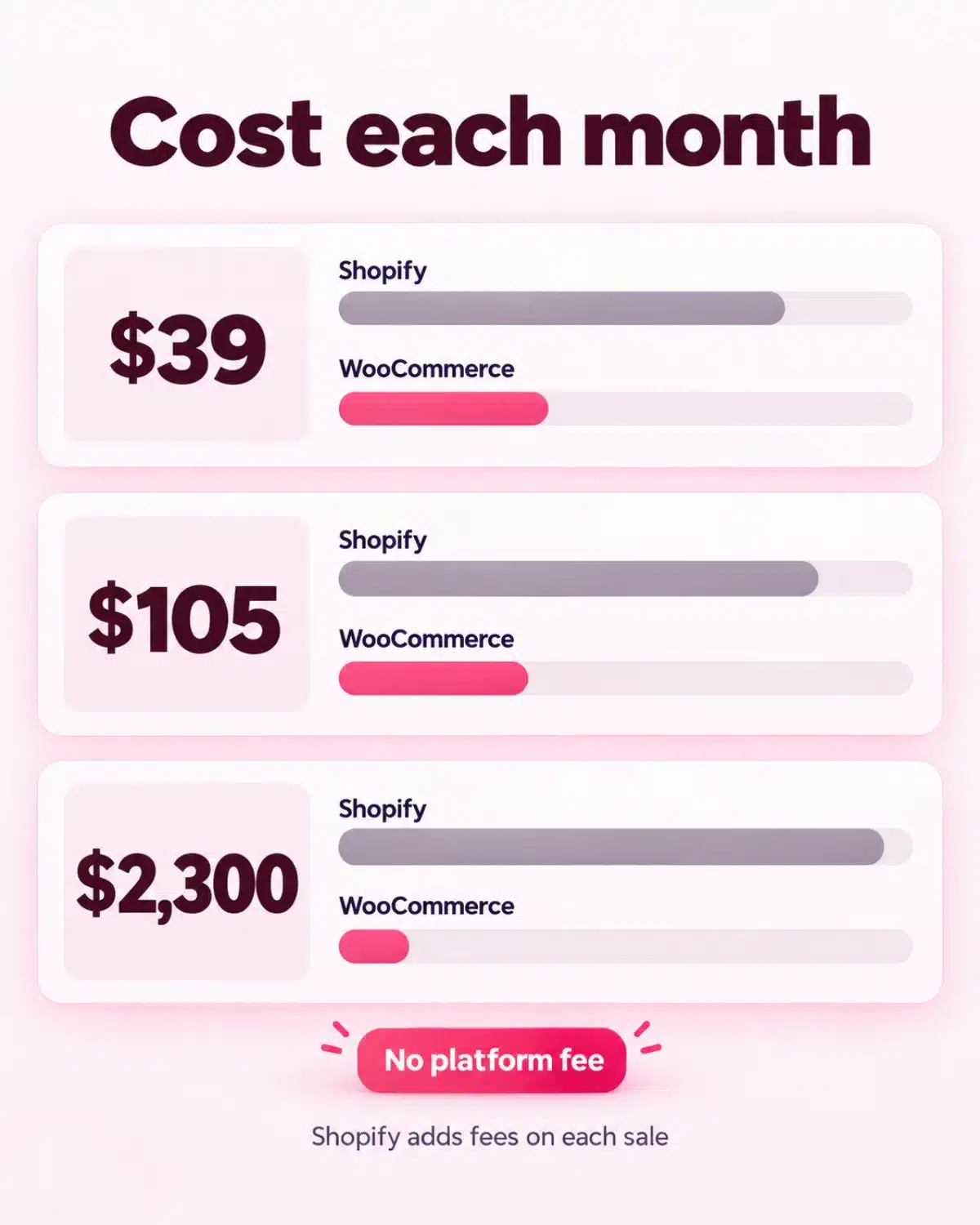
On Shopify, the plan you need depends on your team, and the fee on each order depends on your payment provider. Keep your own provider, and Shopify adds a third-party transaction fee to each of those sales.
WooCommerce vs Shopify costs for three example stores that keep their own payment provider, checked 14 September 2026
Example store
Shopify plan (billed monthly)
Extra Shopify fee on those sales
WooCommerce platform fee
Sells $2,000 a month, run by the owner alone
Basic: $39 a month
2%, about $40 a month
$0
Sells $10,000 a month, owner plus two staff logins
Grow: $105 a month
1%, about $100 a month
$0
Sells $40,000 a month, owner plus ten staff logins
Advanced: $399 a month
0.6%, about $240 a month
$0
Card processing is extra on both platforms. Yearly billing lowers Shopify’s plan price. The extra fee does not apply to sales through Shopify Payments.
Calculator, receipts and a parcel on an oak desk for a WordPress vs Shopify cost check
Add up the plan, the fee on each sale and your apps before you pick.
Card fees land on both sides of the table. WooPayments charges 2.9% + $0.30 per US card sale, the same standard online rate as Shopify Payments on the Basic plan.
In any WooCommerce vs Shopify budget, remember that WooCommerce has no plan fee and still costs money to run. You pay for hosting, a domain, any paid extensions and someone’s time for updates. WooCommerce puts hosting at $25 to $350 a month for most stores.
Before you settle Shopify vs WordPress on cost, write two totals side by side. Put Shopify’s plan, the fee on each sale and your apps on one side, and hosting, extensions and care on the other. Once your Shopify store needs a staff login, the plan fee alone passes $100 a month.

Payments and transaction fees: WooCommerce vs Shopify

The fee for keeping your own payment provider

Every sale pays a card fee to your payment provider, whichever side of WooCommerce vs Shopify you choose. On Shopify, the provider you pick can add a second fee. Sales through Shopify Payments carry no extra charge, and any other provider adds a fee set by your plan, from 2% on Basic down to 0.2% on Plus.
One WordPress vs Shopify detail buyers miss: Shopify Payments works only in certain countries, so check yours before you plan around it. WooCommerce adds nothing for any provider, and you pay your provider’s own rate.
Maybe your bank, your accountant or your buy-now-pay-later partner already has a gateway you trust. On WordPress, you plug it in and sell. The Shopify or WordPress choice here comes down to whether you want to pay a percentage for that freedom.

Pro tip

Check your payment provider before you compare WooCommerce vs Shopify on price. On Shopify Basic, a provider other than Shopify Payments adds 2% to those sales, on top of card processing.

Features: WooCommerce vs Shopify side by side

Shopify vs WordPress features: built in, or your choice

Across a feature list, Shopify bundles a lot into each plan and keeps some tools, such as full checkout changes, for Plus. WooCommerce starts lean, and you add only the extensions you pick. Check what WooCommerce can do for free before you buy extras.
Laptop on an oak desk showing a branded online shop and checkout built with WooCommerce
WooCommerce runs inside WordPress, so your shop, checkout and blog share one look.
WooCommerce vs Shopify at a glance, checked 14 September 2026
Shopify
WooCommerce
Hosting
Included, on Shopify's servers only
Any host you choose, and you can move later
Monthly cost
Basic $39, Grow $105, Advanced $399 billed monthly ($29, $79 or $299 billed yearly); Plus from $2,300
Plugin $0; hosting, domain and paid extensions extra
Fees on sales
None with Shopify Payments; 2%, 1%, 0.6% or 0.2% with other providers
No revenue share and no extra fee for any payment provider
Checkout changes
Limited on Basic, Grow and Advanced; full on Plus
Checkout block you edit in WordPress, with no plan to buy
Staff accounts
None extra on Basic, 5 on Grow, 15 on Advanced
Team logins through WordPress user accounts
Abandoned cart emails
On every plan
Through the official AutomateWoo extension
Design freedom
Theme Store themes, a theme editor and Liquid code for deeper changes
Any WordPress theme or page builder, with full code access
SEO control
Page titles and meta descriptions; products and collections on fixed /products/ and /collections/ paths
Titles, descriptions and rich results through a plugin such as Rank Math; your own product base
Store ownership
Your store runs on Shopify's platform; products, customers and orders export as CSV files
Files, database and store data on hosting you control
Blog and content
Built-in blog, starting with one called News
Full WordPress publishing, categories and SEO plugins
Best for
Owners who want one monthly bill and have nobody for updates
Most small stores: owners who want to own the store and choose every part

Want a WooCommerce store without the tech work?

Still weighing Shopify or WordPress for your shop? Talk it through with the team that builds WordPress stores.

Design and checkout: WordPress vs Shopify

Make the shop, and the checkout, look like you
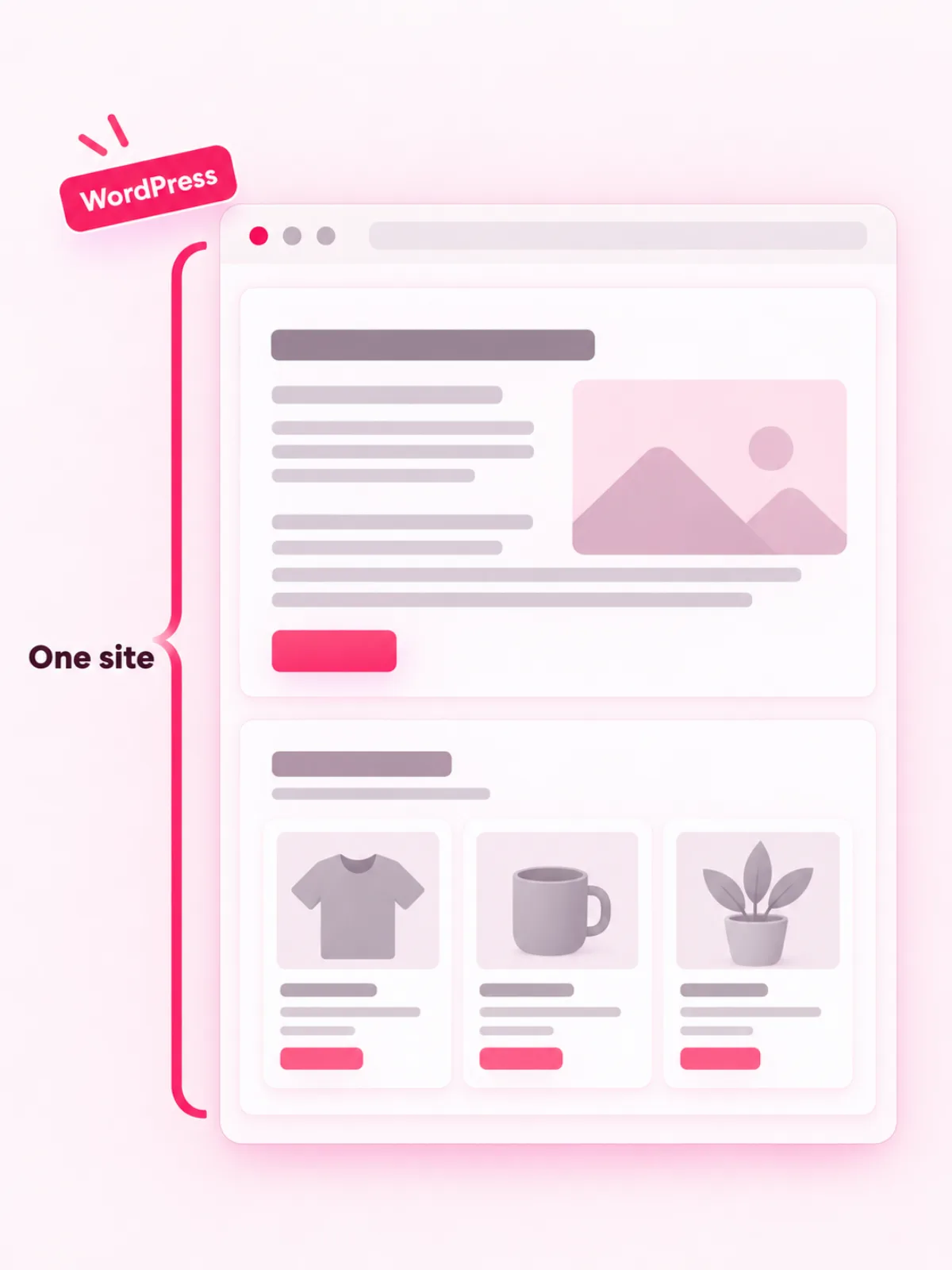
Your store should feel like your brand from the first click to the last. On Shopify, you shape pages with the theme editor’s sections and blocks, and deeper changes mean Liquid, a template language Shopify created. Checkout changes stay limited until you move up to Plus.
In a WooCommerce vs Shopify design check, WordPress lets your product pages, blog and service pages share one design. The checkout is a block you edit like any other part of the site. Our team can build a WooCommerce store around your brand, and our guide to designing an ecommerce website shows what to plan first.
Notebook, phone and coffee on an oak desk, planning blog posts for a store in a Shopify vs WordPress choice
Your blog and your shop on one WordPress site, under one design.

SEO and blogging: Shopify vs WordPress

Let your articles bring buyers to your shop

A buying guide or a how-to post can reach shoppers before they choose a product. WordPress is built for publishing, so a WooCommerce store gets full blog pages, categories and an SEO plugin such as Rank Math on the same site as your products.
Shopify includes a blog too, and every store starts with one called News. Another difference between Shopify and WordPress is the product address. Shopify keeps products and collections on fixed /products/ and /collections/ paths, and WooCommerce lets you set your own product base.
In WooCommerce vs Shopify SEO, neither platform ranks a store by itself, because Google ranks pages that answer the search well. If content is how you plan to win customers, WordPress wins this part, and our WordPress SEO team can set it up with you.

With WooCommerce, you own the store and every page of it. With Shopify, you rent it, and each app and outside payment provider adds to the rent.

Apps and extensions: WooCommerce vs Shopify

Add features without adding monthly bills

Running costs are the quiet difference between Shopify and WordPress. Shopify says it integrates with thousands of apps. App charges land on your Shopify bill on a different cycle from your plan, so your monthly total moves each time you add one.
WooCommerce offers hundreds of free and paid extensions, and paid ones on WooCommerce.com cost $29 to $299 a year each. Whichever way your WooCommerce vs Shopify decision goes, add only the tools you use, since each one is another bill to pay and another thing to update.

Security and maintenance: WordPress vs Shopify

Who keeps your store safe after launch?

A store that goes down or gets hacked stops taking orders. Before you settle on Shopify or WordPress, decide who watches for that.

Shopify

WooCommerce

Shopify vs WordPress security comes down to who runs the updates. Our WordPress security best practices guide covers the basics you can do yourself. If you would rather hand off the updates and backups, a care plan puts them with our team.

Store ownership: WordPress vs Shopify

Your data, your address, your way out

The difference between Shopify and WordPress shows most on the day you want to leave. Shopify lets you export products, customers and orders as CSV files. The product file leaves out the image files, so Shopify tells you to keep the old store open until your new store has pulled the images across.
This is the clearest WooCommerce vs Shopify gap. On WooCommerce, the files and the database already sit on hosting you control. WooCommerce says you are free to export all your content and take your site to any platform. Growth then means stronger hosting and a lean set of plugins, with no plan jump tied to the size of your team.
Wooden card box with filed index cards, store data kept under your control on WooCommerce
Your products, customers and orders: keep them where you can reach them.

Changing platforms later

Leave Shopify without losing your customers

Your WooCommerce vs Shopify choice can change later, and a clean move takes planning. A Shopify to WooCommerce move runs in five steps.
1

Export your products

In Shopify, go to Products, then Export, and save the CSV file. Keep the Shopify store open until the import is done.
2

Import them into WooCommerce

The built-in product CSV importer adds products and variations in bulk.
3

Move customers and orders

Shopify exports both as CSV files. A store-moving tool or a web team brings them into WooCommerce.
4

Set 301 redirects

Point each old page address to its new one. Google advises keeping these redirects for at least a year.
5

Test before you switch the domain

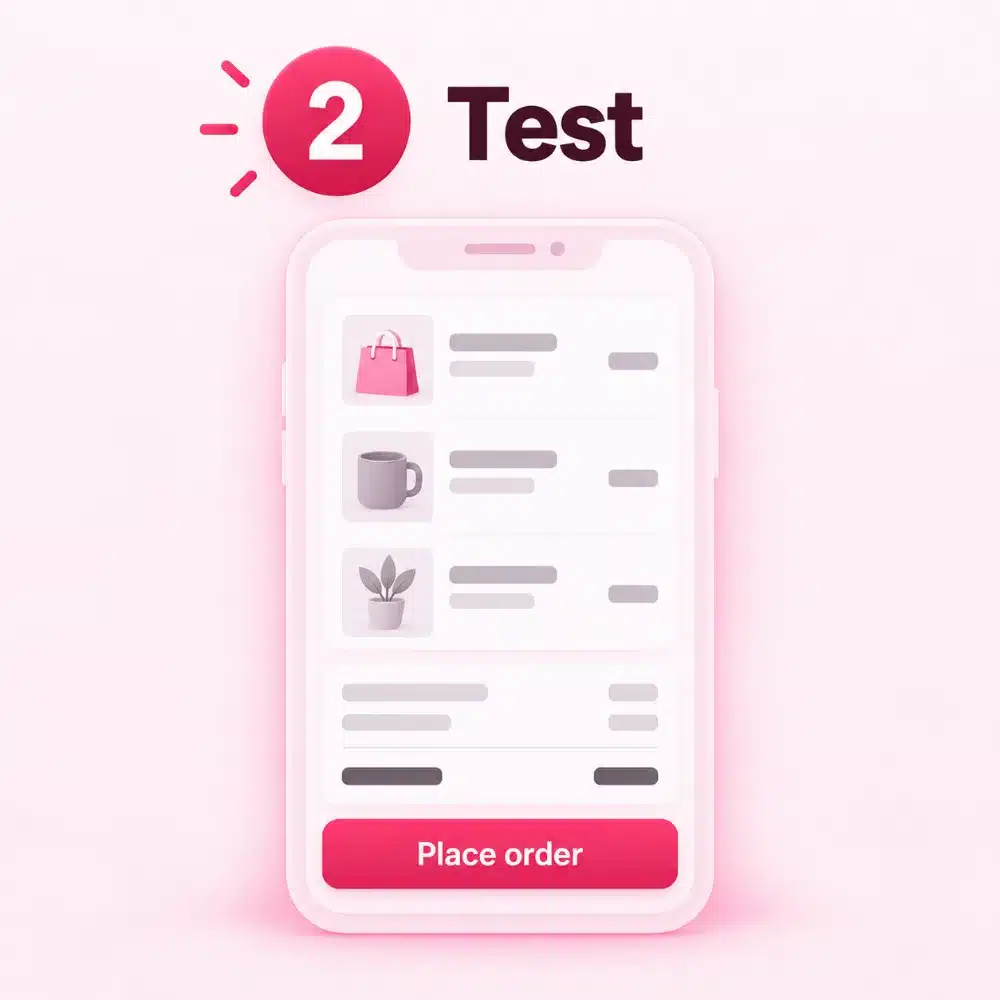
Place test orders, check tax and shipping, and read every order email.
Packed boxes and a blank spreadsheet on a desk, moving products from Shopify to WooCommerce
Products move by CSV file.
Open parcel with tissue paper and a blank packing slip, a test order for a new WooCommerce store
Then test orders before you switch.

Our verdict

Shopify or WordPress: which store should you build?

Pick the platform that fits how you want to work in two years, as well as today. After this WooCommerce vs Shopify check, we pick WooCommerce for most small stores, because you own the store and pay no platform fee on sales. Shopify fits a smaller group: owners who want one monthly bill and have nobody to handle updates.
Three WooCommerce vs Shopify example stores (made up, to show the thinking)
A tea shop that already writes brewing guides on WordPress. WooCommerce. The shop joins the site the owner already has, and every guide can point readers to a product.
A sneaker reseller with no web person who also sells at weekend pop-ups. Shopify. Hosting, checkout and in-person sales sit in one account, and nobody has to run updates.
A furniture brand that wants delivery-date fields in its checkout. WooCommerce. On Shopify, full checkout changes need the Plus plan. On WooCommerce, the checkout is part of the site the brand already owns.

Go with Shopify if…

Our pick for most small stores

Go with WooCommerce if…

BigCommerce on your list too? Read our WooCommerce vs BigCommerce comparison.

Picked WooCommerce?

What happens after you say yes

If WooCommerce comes out ahead in your WooCommerce vs Shopify comparison, our team can handle the build and the upkeep for you. WP BigBang is a WordPress-only team with 500+ websites built.
1
We look at your products, payment provider, shipping and sales goals.
2

The right setup

We choose hosting and a payment provider with you and compare their fees.
3

Design and build

We design the store around your brand and build it on WordPress and WooCommerce.
4

Test the checkout

We place test orders and check taxes, shipping and every order email.
5

Hand over

The files, the database and the domain are yours the day the store is finished. Every E-commerce plan includes 3 months of Standard Store Care free, and after that a care plan stays your choice.

Frequently asked questions

WooCommerce vs Shopify questions, answered

What is the difference between Shopify and WordPress?

Shopify is a hosted store platform you rent by the month. WordPress is free software that runs your whole website, and the WooCommerce plugin adds a store to it on hosting you choose. The biggest difference between Shopify and WordPress is ownership: on WordPress, the files and the store data stay with you.
Yes, the WooCommerce plugin is free and open source. A working store still pays for hosting, a domain, any paid extensions and card processing, such as WooPayments at 2.9% + $0.30 per US card sale.
Shopify or WordPress, the cheaper one depends on your apps, your team and your payment provider. WooCommerce has no plan fee and no revenue share, so a small shop with few paid extensions can cost less each month. Shopify Basic starts at $39 a month billed monthly, and staff accounts, apps and outside payment providers add to that.
Shopify adds no extra fee on sales through Shopify Payments. With any other payment provider, it adds a third-party transaction fee, from 2% on Basic down to 0.2% on Plus. That is the biggest cost gap in WooCommerce vs Shopify: WooCommerce adds no platform fee for any provider.
In a WooCommerce vs Shopify choice for a small business, WooCommerce suits most owners. You own the store, keep a blog and avoid platform fees on sales. Shopify suits owners who want one monthly bill and have nobody to handle updates.
Neither platform ranks a store by itself, and both let you edit page titles and meta descriptions. WordPress adds full blog tools, SEO plugins such as Rank Math and your own product addresses, so it suits stores that plan to win customers with content.
Yes, you can mix the two in a Shopify vs WordPress setup. Shopify’s Buy Button places products on another website, such as a WordPress site, and customers check out through Shopify. You still pay a Shopify plan, so if your site already runs on WordPress, WooCommerce keeps the whole store in one place.
Yes. Export products, customers and orders from Shopify as CSV files, import the products with WooCommerce’s CSV importer, and use a store-moving tool for customers and orders. Then set 301 redirects, permanent forwards from each old link to its new page, so bookmarks and Google still find you.
Picture of Written by the WP BigBang team
Written by the WP BigBang team

We design and build affordable WordPress websites for small businesses, helping you look professional, get found online and grow with confidence.

Related articles

We compared Joomla and WordPress on ease, add-ons, SEO, security, support dates and moving costs, and named the…

Sep 17, 2026

We compared Drupal and WordPress on ease, cost, performance, security and support dates, added Joomla to the table,…

Sep 17, 2026

We compared Elementor, Divi and WPBakery on price, ease, store pages and what happens when you stop paying,…

Sep 18, 2026

Ready to launch something great?

Get a professional WordPress website for your business, without the big agency price tag.