
Your website holds your leads, your orders and your good name, and on WordPress the weak spot is most often a plugin. This WordPress security checklist shows how to secure WordPress website logins, files and backups, in the order we would do them: today, this week and every month. Each step shows the time it takes and who can do it.
Last updated 14 September 2026. Figures checked on patchstack.com, developer.wordpress.org and support.google.com.
Quick answer
Update WordPress, plugins and themes, and delete the ones you don’t use. Plugins carry most known WordPress security issues.
Start your WordPress security checklist at the login: a unique password, two-factor codes and no user called “admin”.
Keep backups of your files and database in more than one place, and run the site on HTTPS and PHP 8.3 or newer.
Repeat the monthly WordPress security best practices below, or book a free call and hand them to our team.
WordPress security issues in numbers
91%
WordPress plugins: share of all new vulnerabilities found in 2025
6
WordPress core: vulnerabilities reported in 2025, all low priority
46%
WordPress plugin and theme holes with no developer fix when they went public
5 hours
WordPress attacks: typical time before the most exploited holes were first attacked
26%
WordPress web hosts: share of test attacks their defenses blocked
Source: Patchstack, State of WordPress Security in 2026, published 25 February 2026.
Common WordPress security issues
WordPress security best practices start where attacks get in
You can’t guard every door at once, so the WordPress security best practices below start with the doors attackers use. WordPress core had only 6 reported vulnerabilities in 2025, which is one reason we build on WordPress. The trouble sits around the core: plugins, themes, weak logins and old server software.
A vulnerability is a coding mistake that lets a stranger do something they shouldn’t, such as upload a file or log in as you. When a developer ships a fix, attackers read the notes too, and they often strike within a day. Patchstack found that 46% of holes had no fix when they went public, so the plugins you choose matter as much as the updates you run.
Common WordPress security issues and the checklist step that closes each one
Issue
How it gets in
Checklist steps
Outdated plugins and themes
A published hole stays open on your site
1, 2 and 11
Weak or reused passwords
Bots guess them, or try logins leaked from other sites
3 and 4
Too many admin accounts
One stolen login opens the whole site
5 and 12
No backup you can restore
A small break-in turns into a rebuild
6 and 13
Old PHP or no HTTPS
Server software with no security fixes, and traffic others can read
7 and 8
Open code editor and loose file permissions
An intruder changes code from inside the dashboard
9 and 10
Nobody watching
Warnings sit unread for weeks
14 and 15

WordPress security tips at a glance
Habits that protect your site, and habits that invite trouble
Habits that protect you
- One strong, unique password per person, kept in a password manager.
- Two-factor codes on every account that can publish or install.
- Plugins from WordPress.org or a company you know.
- Backups kept in at least two places, one away from your host.
- Updates checked every week.
Habits that invite trouble
- A user called "admin" with a short password.
- Switched-off plugins and old themes left installed.
- One shared login for staff and freelancers.
- "Free" copies of paid plugins from unofficial sites.
- A backup nobody has ever restored.
Count your crosses. Each one maps to a step in the WordPress security checklist below, and most take less than 15 minutes to fix.
How to secure WordPress website logins and updates
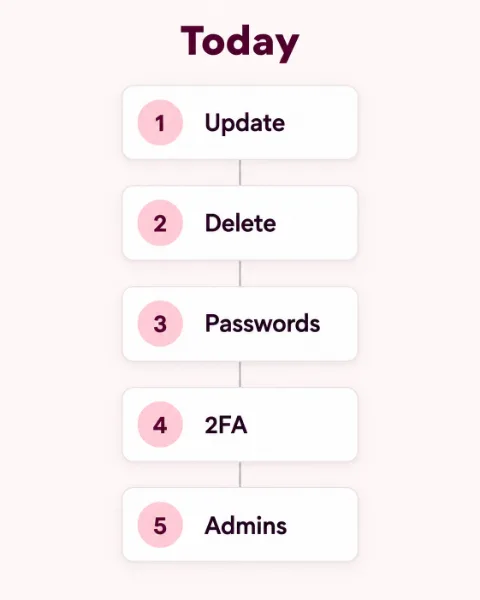
Today: close the easy doors in about 40 minutes
Part 1 of the WordPress security checklist stops automated attacks: bots that scan for old plugins and guess passwords around the clock. You need a login and a cup of coffee, nothing more.
1
Update everything
Go to Dashboard, then Updates, and update WordPress, your plugins and your themes. Take a backup first if you have one.
About 10 minutes · You
2
Delete what you don't use
WordPress.org advises deleting any plugin you don’t use, because its files stay on the server even when it is switched off. Keep one default theme as a spare.
About 5 minutes · You
3
Give every person a strong, unique password
Let a password manager create long random passwords, and never share one login between people.
About 10 minutes · You
4
Turn on two-factor login
A code from an app on your phone stops a stolen password from working on its own. The free Two Factor plugin on WordPress.org offers app codes, email codes and backup codes.
About 10 minutes · You
5
Remove "admin" and trim the user list
Create an administrator with your own username. Then delete the old “admin” account and give its posts to the new one. Give everyone else the lowest role that fits the job, such as Editor, Author or Contributor.
About 5 minutes · You
Times on this WordPress security checklist are our team’s estimates for a small site.
Pro tip
One of the easiest WordPress security tips: turn on auto-updates for the plugins you trust. On the Plugins screen, click “Enable auto-updates” next to each one. WordPress checks twice a day and emails you after each update, so you still see what changed.
WordPress security checklist, part 2
This week: how to secure WordPress website backups and files
This part of the WordPress security checklist takes longer, and a few steps need your host. Send your host the list in one message, since a good support team can handle several of them in a single reply.
6
Set up backups you can restore
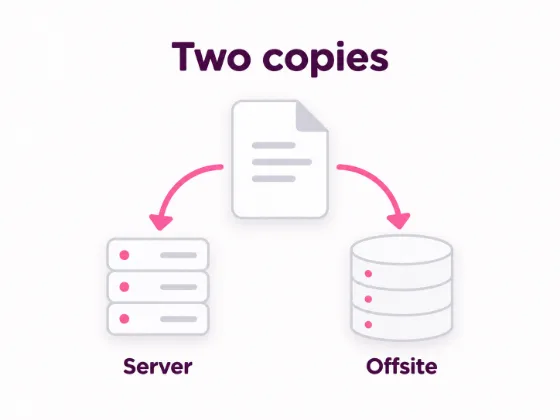
Back up the files and the database, because you need both to bring a site back. WordPress.org suggests weekly backups for small sites and daily ones for busy sites, with copies kept in different places.
About 30 minutes · You or your host
7
Run the whole site on HTTPS
HTTPS encrypts what visitors type, from contact forms to checkout details. WordPress.org lists it as required for every install. If your address still starts with http://, ask your host to switch it on.
About 15 minutes · Your host
8
Move to PHP 8.3 or newer
PHP is the language WordPress runs on. WordPress.org recommends version 8.3 or greater and warns that end-of-life versions may expose your site to security vulnerabilities. Test on a staging copy first if your host offers one.
About 15 minutes · Your host
9
Switch off the dashboard code editor
Add this line to the wp-config.php file: define( ‘DISALLOW_FILE_EDIT’, true ). It stops anyone who gets into your dashboard from editing plugin and theme code there.
About 5 minutes · You or a developer
10
Tighten file permissions and login limits
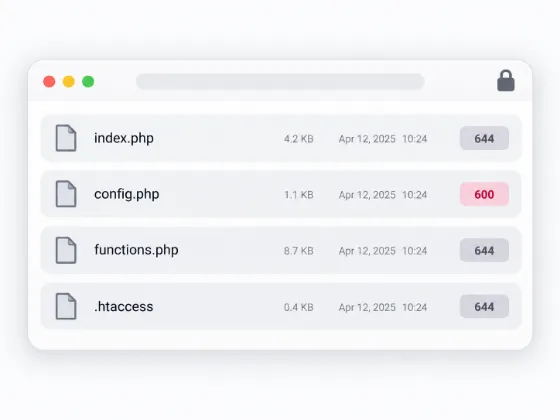
File permissions decide who can read or change each file. WordPress.org’s hardening guide sets folders to 755, files to 644 and wp-config.php to 440 or 400. Ask your host to limit repeated login attempts at the firewall too.
About 20 minutes · Your host or a developer
Rather not open wp-config.php yourself?
Walk through this WordPress security checklist with our team on a free call, and we’ll tell you which steps your site still needs.
WordPress security checklist, part 3
Every month: WordPress security tips that keep the site clean
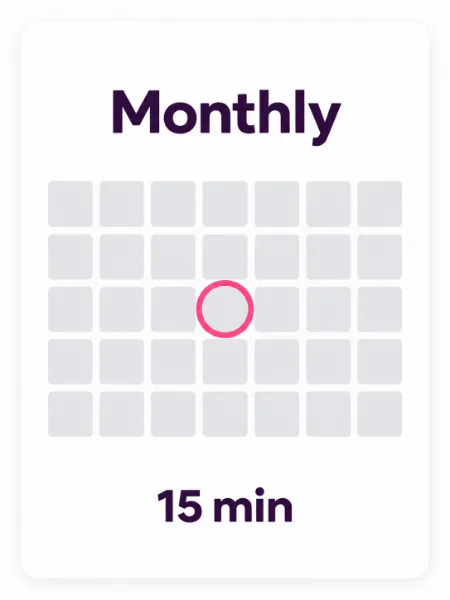
These WordPress security tips work as a habit, like locking the shop at night. Put these steps in your calendar for the first Monday of each month, and the whole round fits in about an hour.
11
Review updates and plugin news
Update anything auto-updates skipped. Each plugin page on WordPress.org shows when it was last updated, so replace any plugin its developer has left behind.
About 15 minutes · You
12
Check who has access
Remove people who no longer work with you, including old freelancers and agencies. Lower any role that is higher than the job needs.
About 5 minutes · You
13
Test a restore
Restore last week’s backup to a staging copy. A restore you have done once is the only proof that your backups work.
About 30 minutes · You or your host
14
Scan the site
Run a scan with one security plugin, and read the report before you close it.
About 10 minutes · You
15
Open Search Console's Security Issues report
Google lists hacked content, malware and social engineering there. Pages with a problem can show a warning label in search results, so a clean report protects your sales too.
About 5 minutes · You
Your WordPress security checklist is one part of monthly upkeep. Our WordPress website maintenance checklist covers the other monthly jobs, so you can plan both in one sitting.
Printable WordPress security checklist
The full WordPress security checklist on one page
All 15 steps of the WordPress security checklist, when to do them and who can do each one. Times are our team’s estimates for a small site.
Step
When
Time
Who
1. Update WordPress, plugins and themes
Today, then weekly
10 min
You
2. Delete unused plugins and themes
Today
5 min
You
3. Strong, unique passwords
Today
10 min
You
4. Two-factor login
Today
10 min
You
5. Remove "admin" and trim roles
Today
5 min
You
6. Backups of files and database
This week
30 min
You or host
7. HTTPS on every page
This week
15 min
Host
8. PHP 8.3 or newer
This week
15 min
Host
9. Dashboard code editor off
This week
5 min
You or developer
10. File permissions and login limits
This week
20 min
Host or developer
11. Review updates and plugin news
Monthly
15 min
You
12. Check who has access
Monthly
5 min
You
13. Test a restore
Monthly
30 min
You or host
14. Scan the site
Monthly
10 min
You
15. Search Console Security Issues report
Monthly
5 min
You
WordPress security plugins
Does a security plugin replace this checklist?
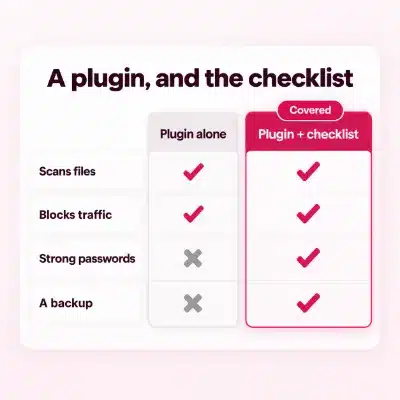
A security plugin is a good tool to have. It scans your files, blocks known bad traffic and flags odd logins. It won’t fix a weak password, and it can’t bring back a site that has no backup.
Your host’s firewall helps too, and it has limits. In Patchstack’s test of popular web hosts, the hosts’ own defenses blocked 26% of attacks on known plugin holes.
Pick one well-reviewed security plugin, set it up with care, and keep the WordPress security checklist running beside it. Every extra plugin is more code to update, and more weight on your pages, which our guide to a faster WordPress site explains.
WordPress security tips for paid plugins
Paid plugins and themes need the same care as free ones
Paying for a plugin feels safer. Patchstack’s research found that premium WordPress plugins and themes had three times more known exploited vulnerabilities than free ones. Fewer researchers can reach premium code to check it.
Buy from the developer’s own site or a marketplace you trust, and keep the license active so updates keep arriving. Never install a “free” copy of a paid plugin. WordPress.org’s hardening guide, the source of many WordPress security best practices, advises plugins from its own directory or from well-known companies.
Attackers look for the plugin you forgot. A monthly WordPress security checklist makes sure there isn't one.
Think someone got in?
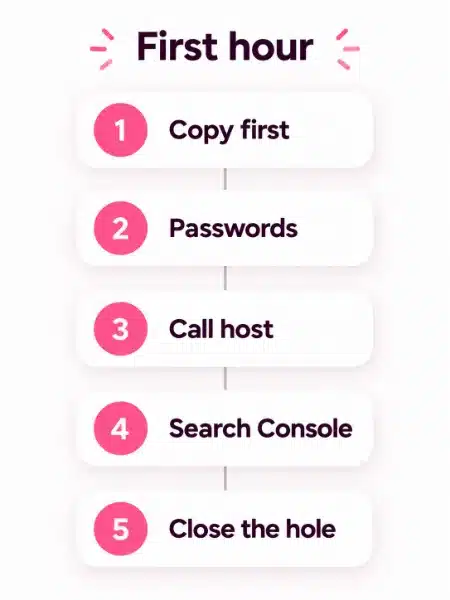
WordPress security issues on your site? Five things to do in the first hour
A stranger in your user list, pages you didn’t write, a Google warning or an email from your host are all signs to act on today. Stay calm and work in this order.
1
Keep a copy before you delete anything
Deleting files can remove the clues that show how someone got in. Save a copy of the site as it is.
2
Change every password
Change your WordPress logins, hosting account, database password and the email accounts tied to the site.
3
Call your host
Ask what they can see on their side, and whether they hold a clean backup from before the problem started.
4
Check Search Console
Open the Security Issues report to see what Google found. After the cleanup, click Request Review. Google says a review can take several days or weeks.
5
Clean up, then close the hole
Remove the bad code and update or replace the plugin that let the attacker in. Then run the WordPress security checklist again from step 1.
Need a hand? Our add-ons page lists a one-off cleanup for sites we did not build, and we lock the site down when we finish.
Who should run your WordPress security checklist
Do it yourself, or hand the checklist to a team?
Both routes work, as long as every step of the WordPress security checklist happens each month. Choose by the time you have and by what a day offline would cost you. If you sell online, see how we build WooCommerce stores.
Do it yourself if…
- You run one small site and can give it an hour a month.
- You know how to secure WordPress website files, restore a backup and edit wp-config.php.
Our pick for busy owners
Hand it to a care plan if…
- Your site brings in leads or orders every week.
- Nobody on your team wants to own updates and restores.
- You run a store, and a day offline means lost orders.
- You'd rather read a monthly note than face a Monday surprise.
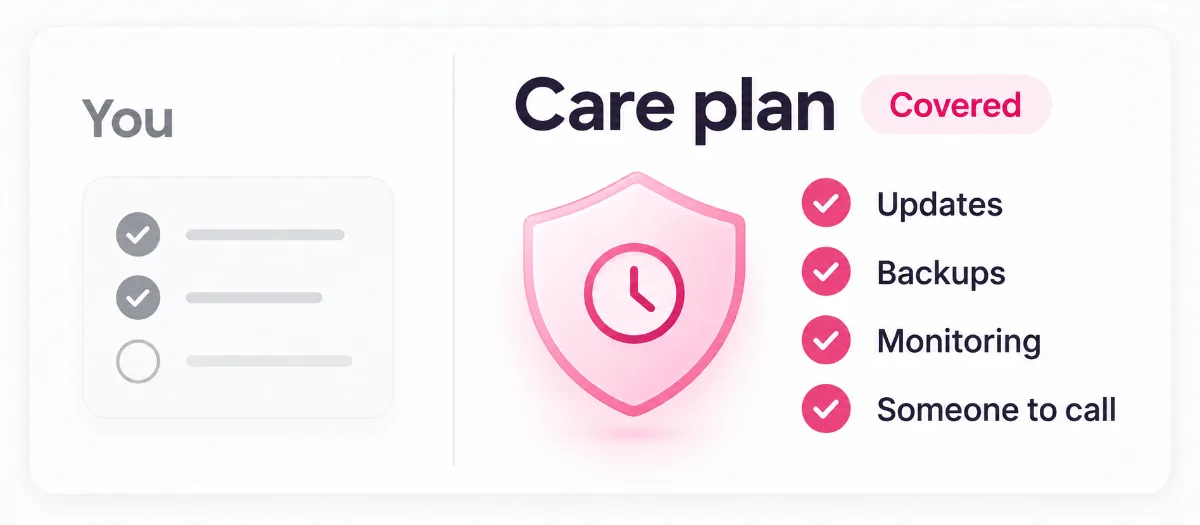
WP BigBang is a WordPress-only team with 500+ websites built. If the monthly steps keep slipping, we can take them off your desk.
Our WordPress care plans start at $49 a month, and Standard Care covers uptime checks, plugin and theme updates and website backups.
Need a safer home for the site? Our managed WordPress hosting comes with an SSL certificate, daily backups and a malware scanner, from $2.49 a month billed once a year.
Already have a site we didn’t build? Our one-off security hardening costs $50 and locks down an existing site.
Starting fresh? Security hardening comes with every website plan, from our affordable WordPress website design plans to our custom WordPress development.
Frequently asked questions
WordPress security questions, answered
What should a WordPress security checklist include?
A WordPress security checklist should cover updates, unused plugins, passwords, two-factor login, user roles and tested backups. It should also cover HTTPS, a current PHP version, file settings and a monthly review, as the 15 steps above do.
What are the most common WordPress security issues?
Outdated plugins and themes lead the list of WordPress security issues. Patchstack found 91% of new WordPress vulnerabilities in 2025 sat in plugins. Weak passwords, too many admin accounts and missing backups follow close behind.
Which WordPress security best practices matter most?
Three WordPress security best practices do the most work. Keep WordPress, plugins and themes updated, protect every login with a strong password and two-factor codes, and keep tested backups. Start there if you have one hour.
How to secure WordPress website logins without a developer?
Knowing how to secure WordPress website logins takes three moves. Give every user a unique password from a password manager, add two-factor codes with a plugin such as Two Factor from WordPress.org, and delete any account called “admin”. These WordPress security tips take a few minutes in the dashboard.
Do I need a WordPress security plugin?
One is worth having for scans and login alerts, but it doesn’t replace updates, backups or strong passwords. In Patchstack’s test, web hosts blocked 26% of attacks on known holes, so run the WordPress security checklist as well.
Is WordPress secure enough for a small business?
Yes, when someone looks after it. WordPress core had only 6 reported vulnerabilities in 2025, all low priority. Most risk comes from plugins, themes and logins, which the checklist handles.
How often should I repeat these WordPress security tips?
Check updates every week. Once a month, run part 3 of the WordPress security checklist: an access review, a test restore, a scan and the Search Console Security Issues report. Busy sites should back up every day.
What happens if Google finds a security problem on my site?
Google can show a warning label in search results or a warning page in the browser. Fix the problem, then click Request Review in Search Console’s Security Issues report. Google says a review can take several days or weeks.